
How to Top Up Your VoIP Product
-
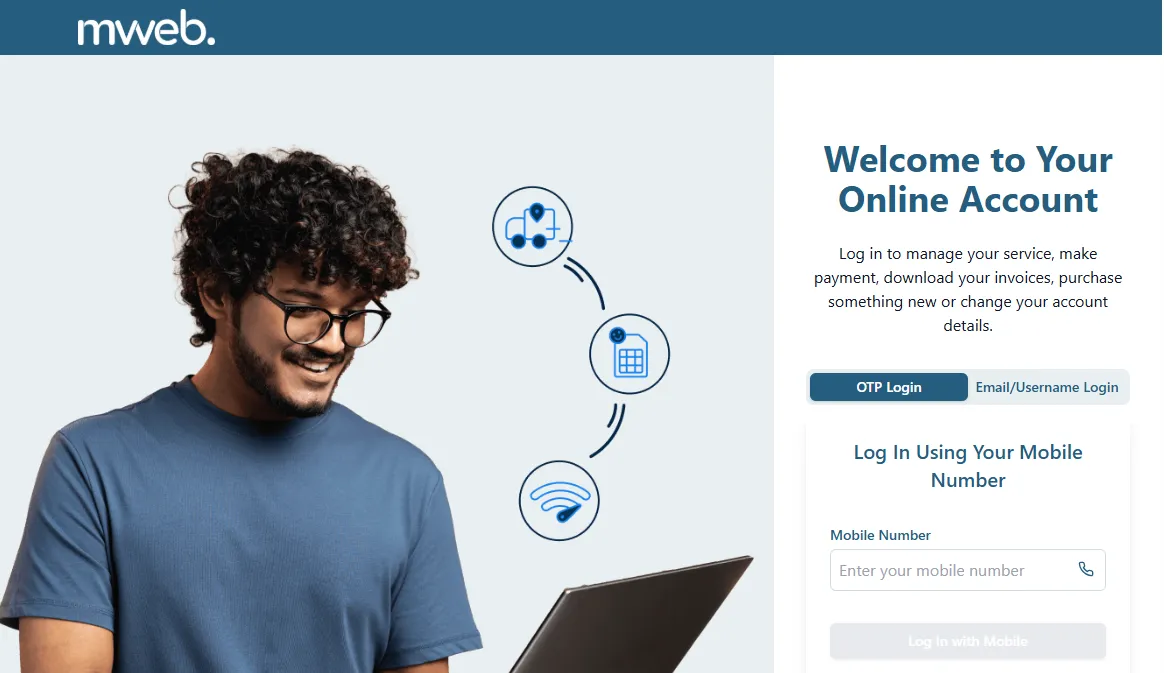
Log In to Your Online Account
- Go to https://my.mweb.co.za
- Enter your login details.
-
Navigate to Your VoIP Product
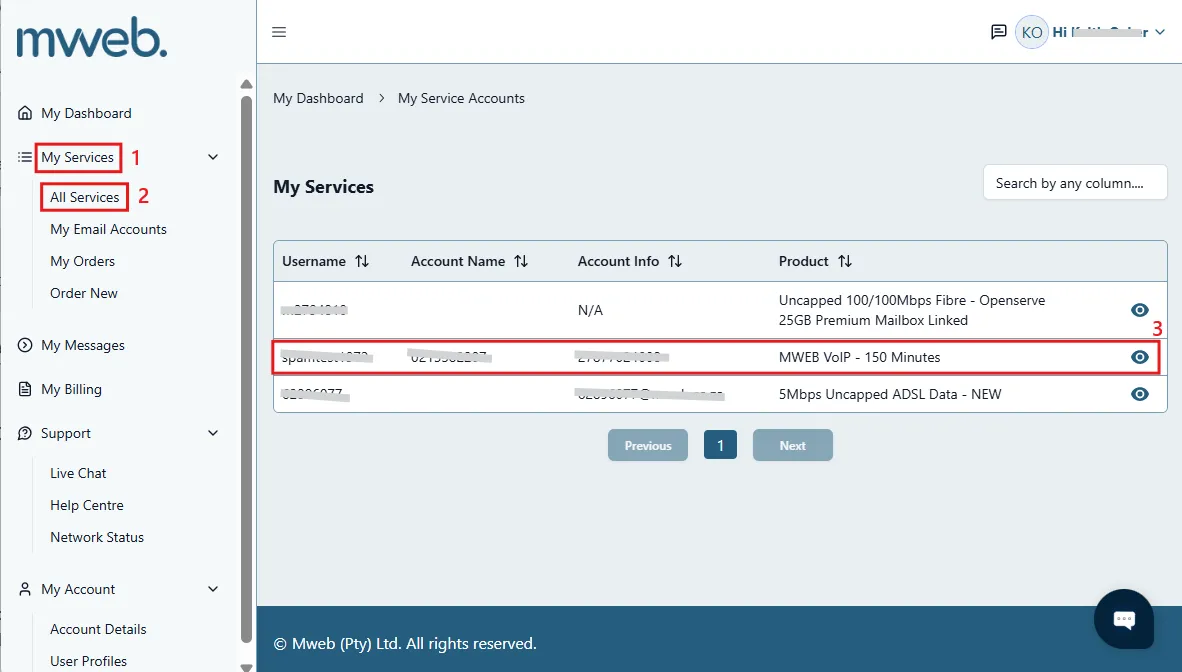
- Once logged in, navigate to My Service --> All Services in the left side menu.
- Select your VoIP product from the list.
-
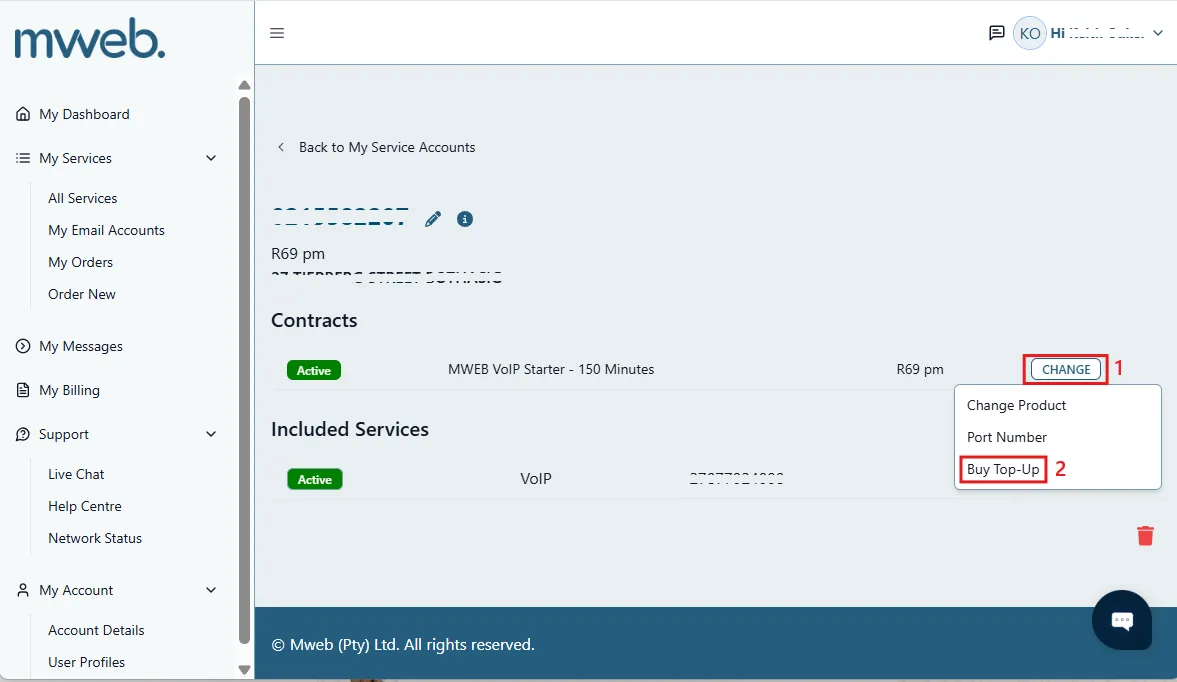
Click on “CHANGE”
- You'll see the three available change options.
- Click Buy Top-Up.
-
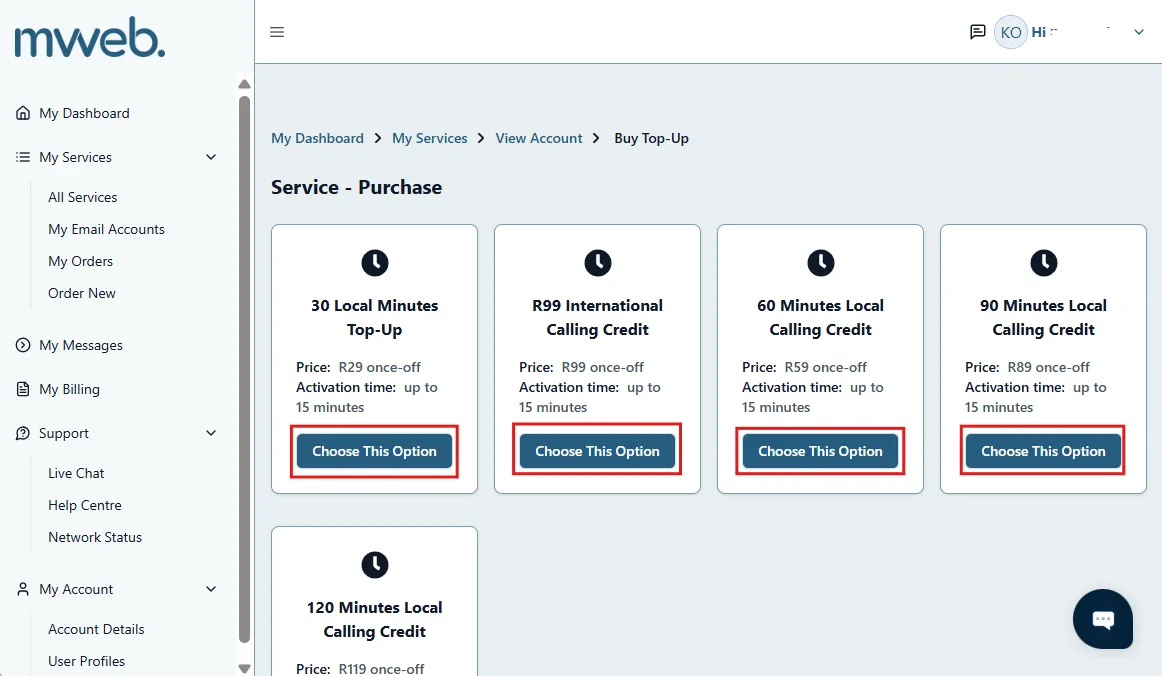
Choose a Top-Up Amount
Select from the available Top-Up options.
-
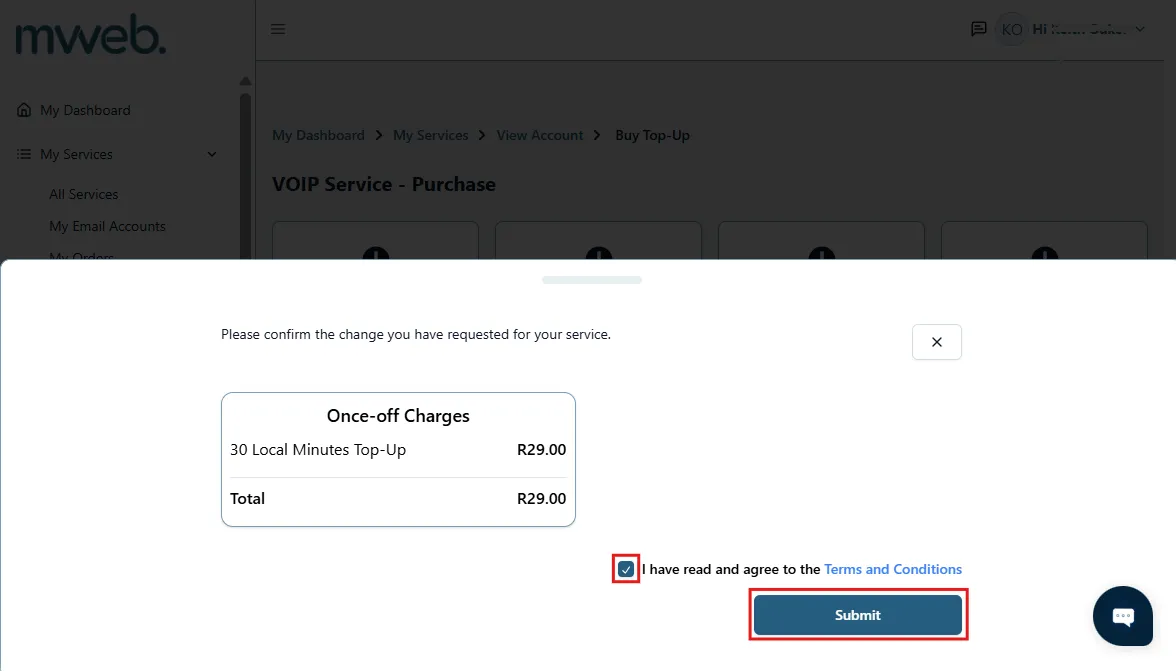
Confirm Change
- Read and accept Terms and Conditions.
- Click Submit
-
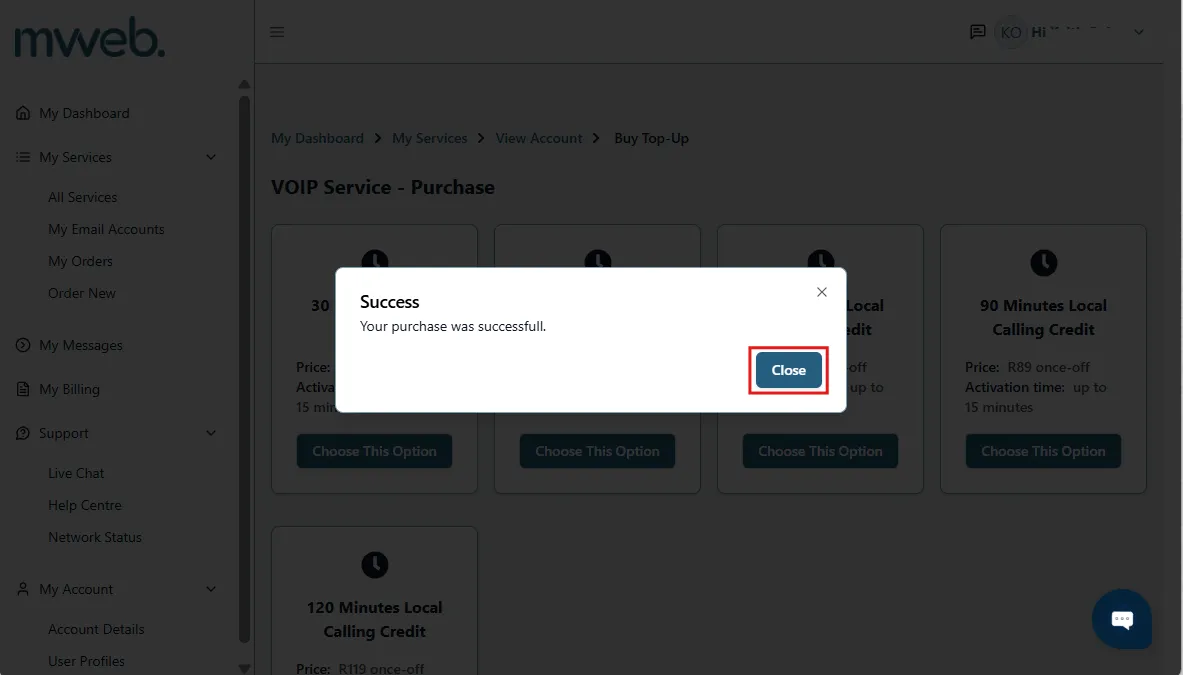
Confirmation
- Once submitted, the process is complete.
- Success!
Still Need Help?
If you're having any issues with the top-up process, our Support Team is here to help.
Live chat or call us on 087 700 0777.
Was this article helpful?