
How to find your VoIP Access Details
To make and receive VoIP calls you will need to configure a VoIP handset, or software application with your login details and the VoIP server address.
Your access details are always sent to you via sms and email when you sign up for a new product, but you can easily retrieve them online in just a few easy steps
When you are ready to proceed, simply login to your account at www.mweb.co.za and follow along.
If you’re not sure how to log in you can follow the steps in this guide.
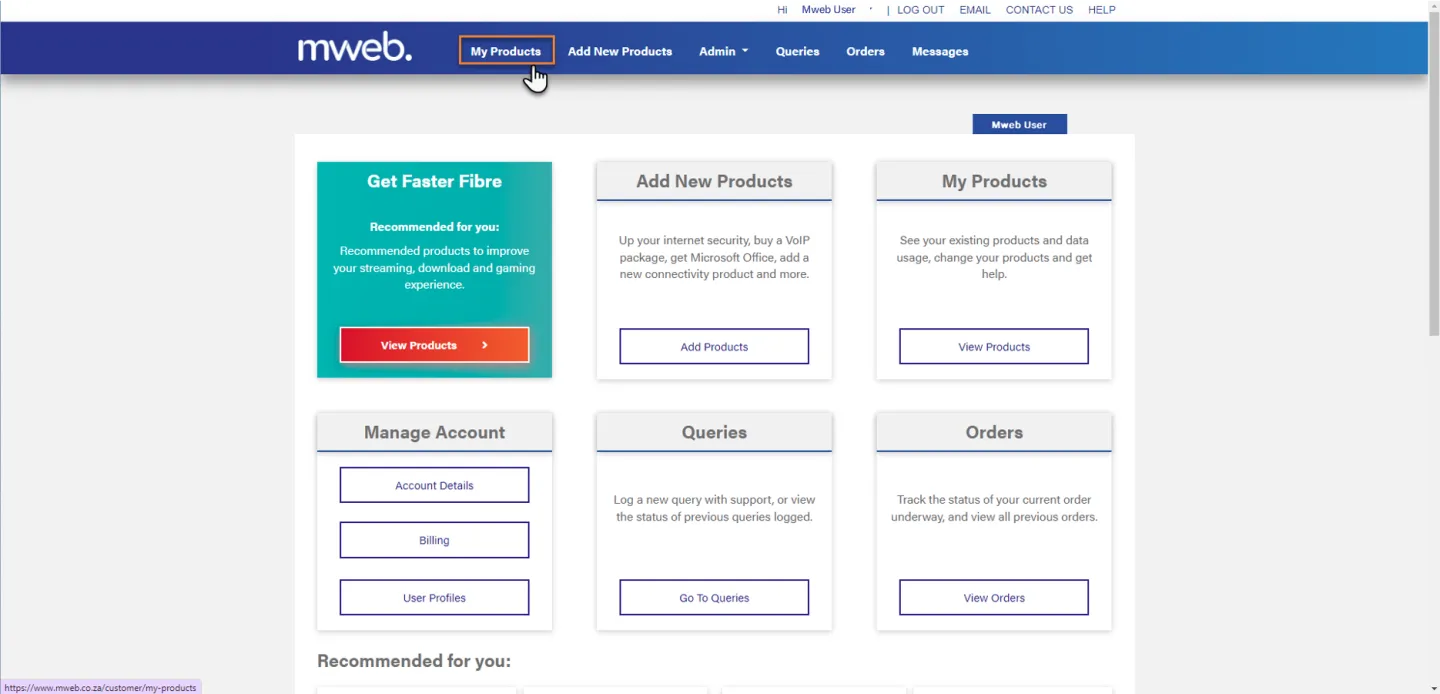
Navigate to My Products
Once you are logged in click on My Products from the menu bar.
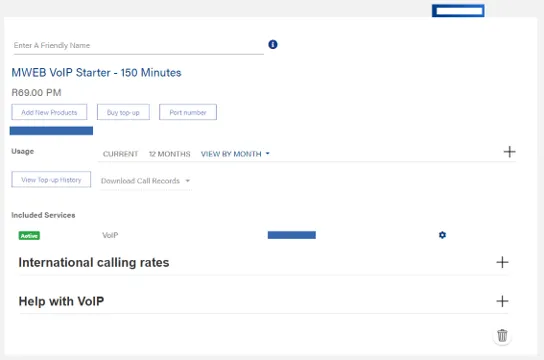
Find your VoIP Product
Scroll down to find your VoIP Product
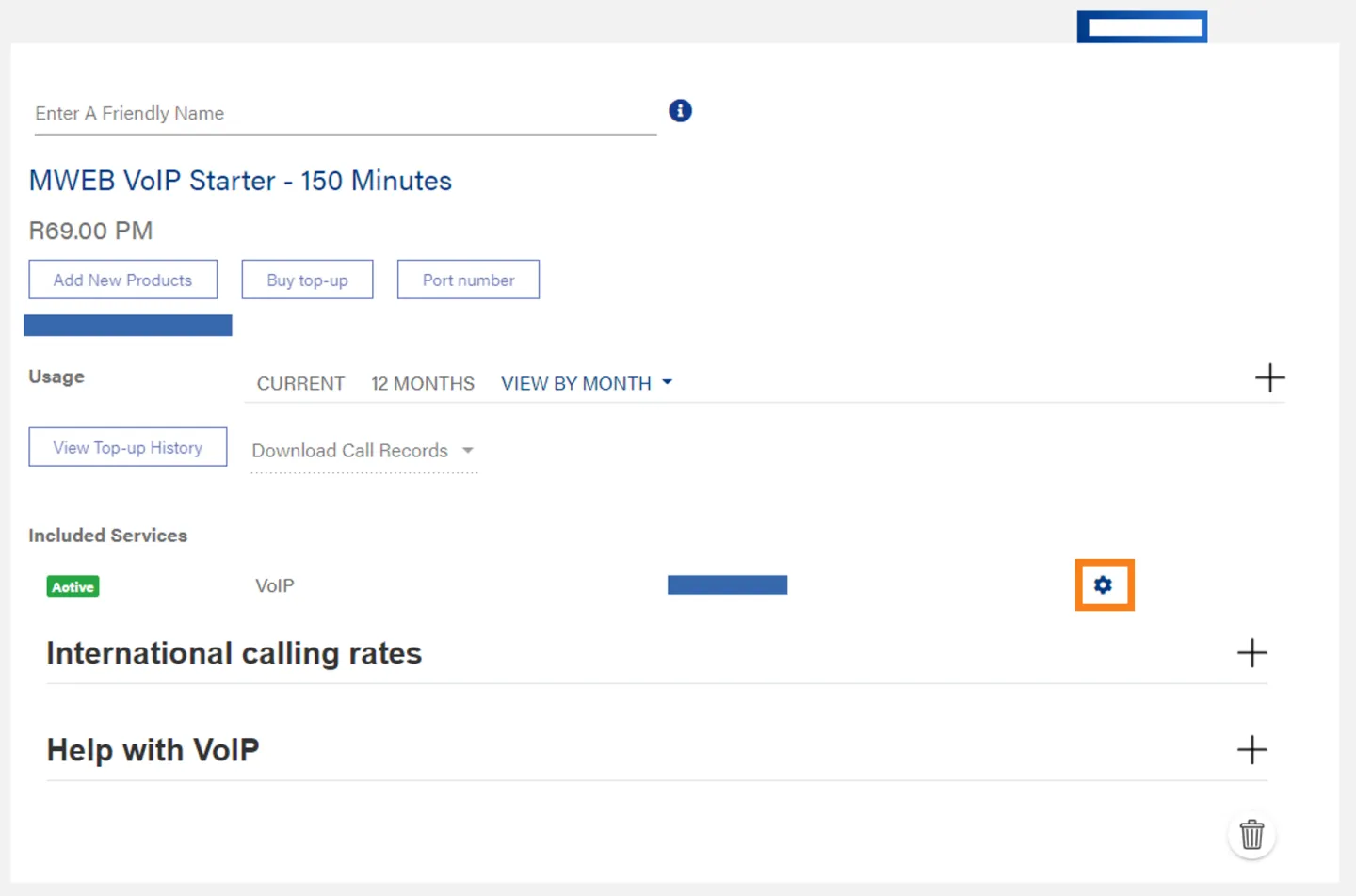
Open VoIP Service Settings
Click on the Cog to open the Settings screen.
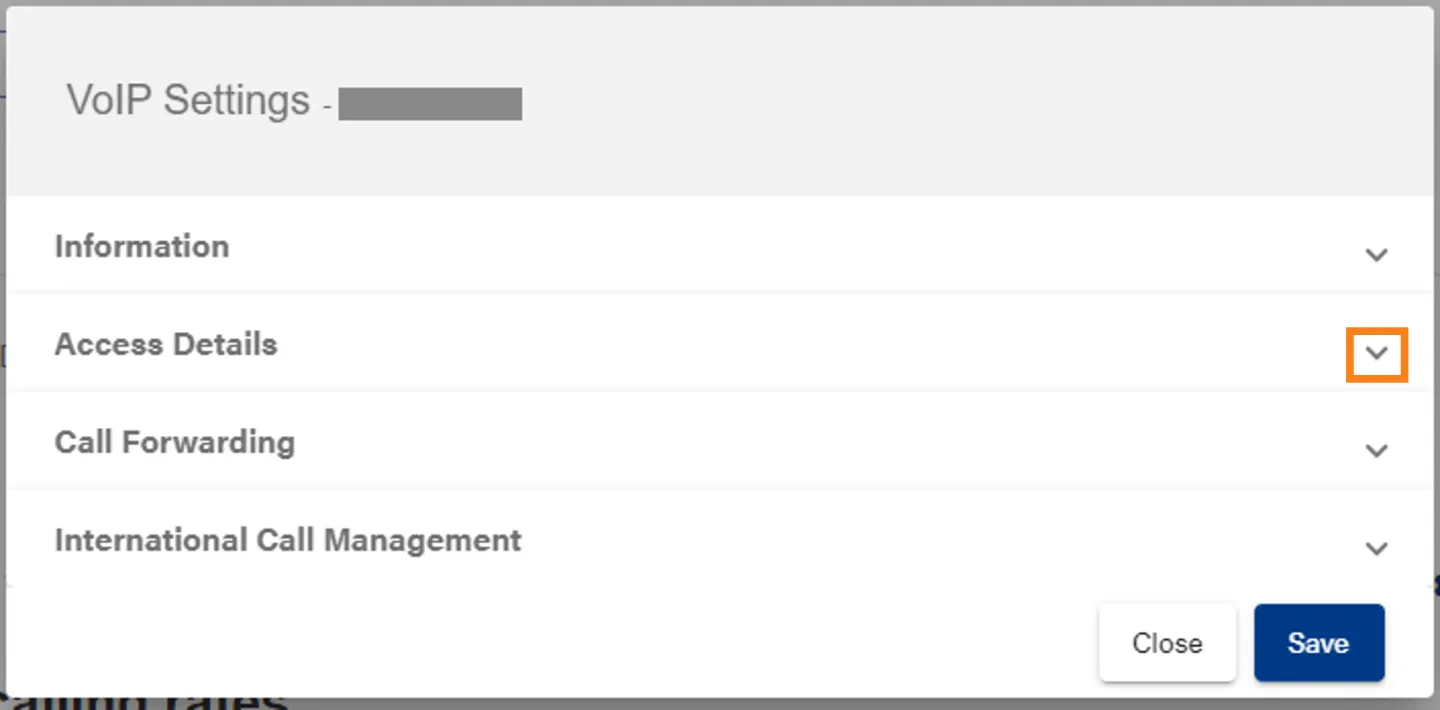
Open Access Details
Click on the down arrow to expand the Access Details Section.
View Access Details
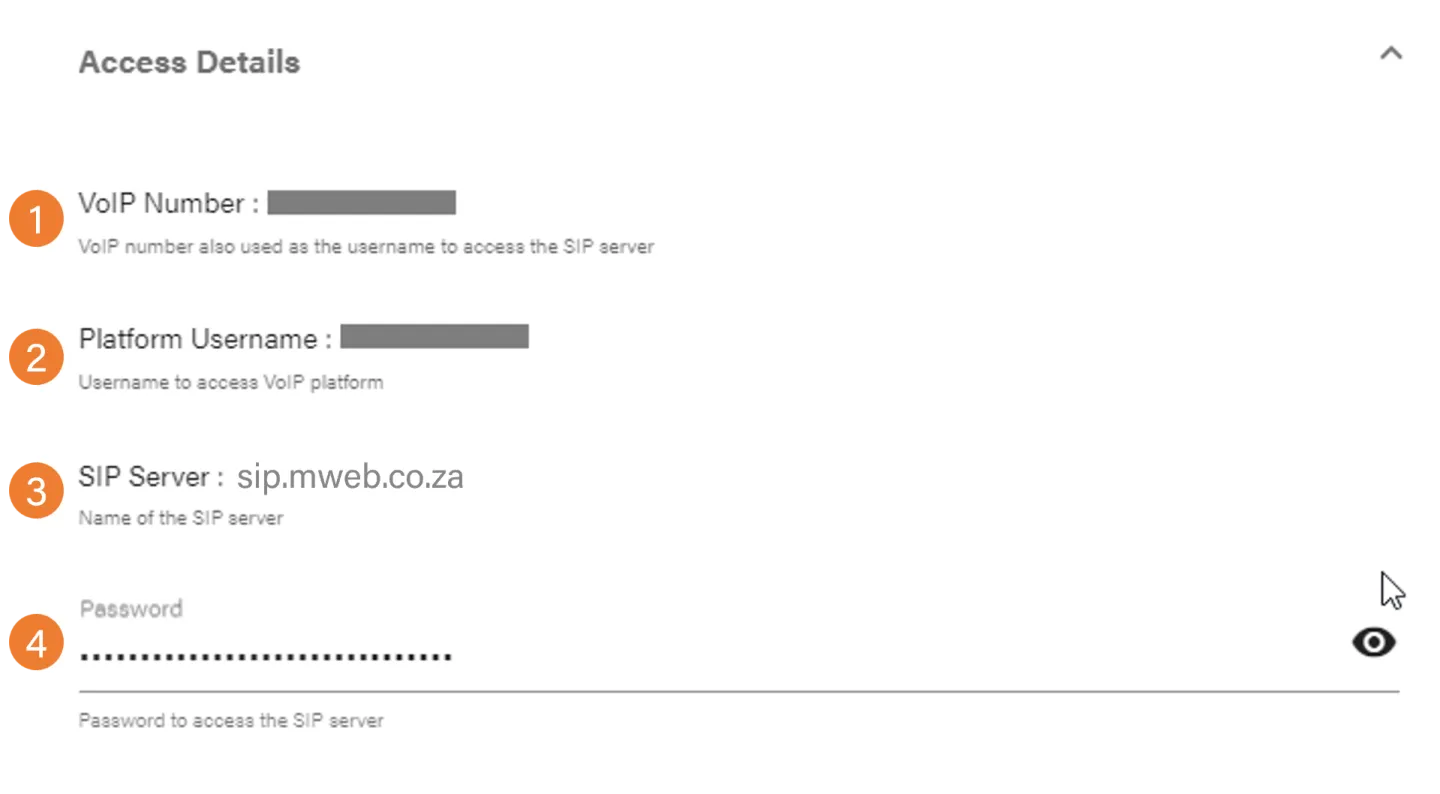
In the Access Details Section you will find:
- Your VoIP Number
- Your platform username (for logging into the VoIP Server)
- The VoIP Server address
- Your VoIP Password
Was this article helpful?