
How to Find your mailbox login details
Need to find mail server settings, or your mailbox password? You can by following these easy steps.
When you are ready to proceed, simply login to your account at www.mweb.co.za and follow along.
If you’re not sure how to log in you can follow the steps in this guide.
Locate the Mailbox
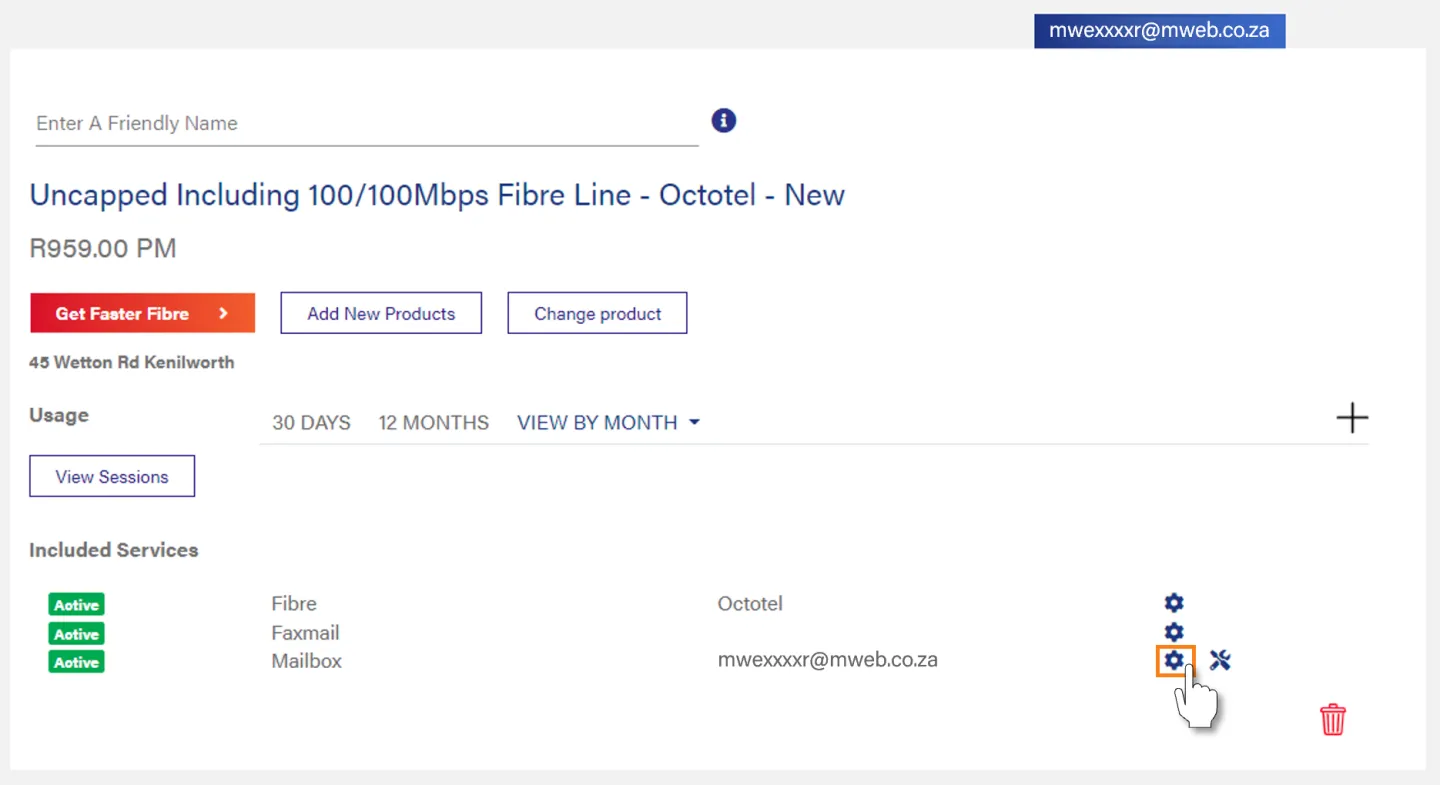
Locate the mailbox you need to sign into and click on the cog next to the mailbox service.
If your mailbox is bundled with your connection you will find it under the included services for that product.
Open Access Details
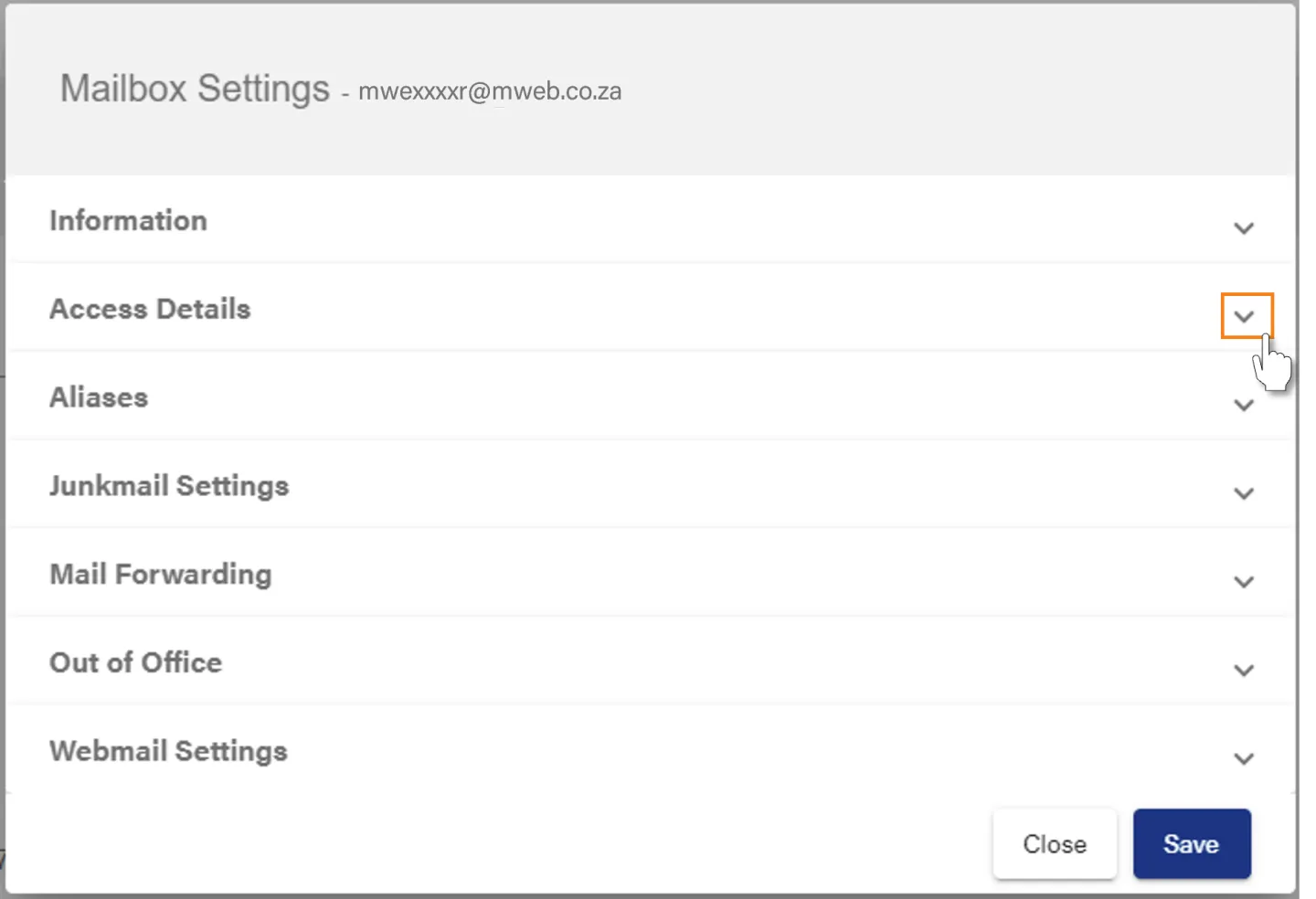
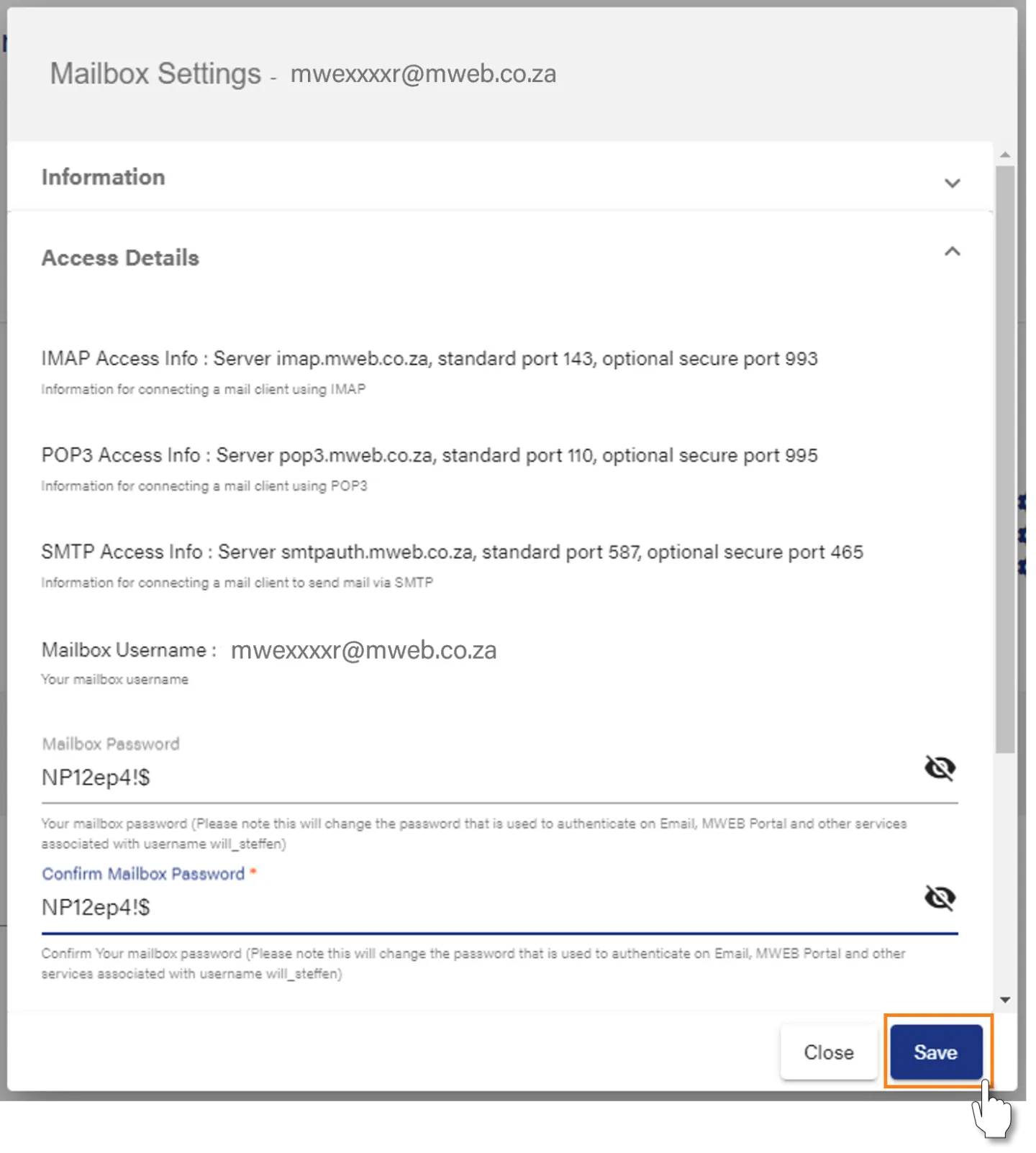
The Mailbox settings window will appear.
Click on the Down Arrow to expand the Access Details section.
View Mailbox Login and Server Details
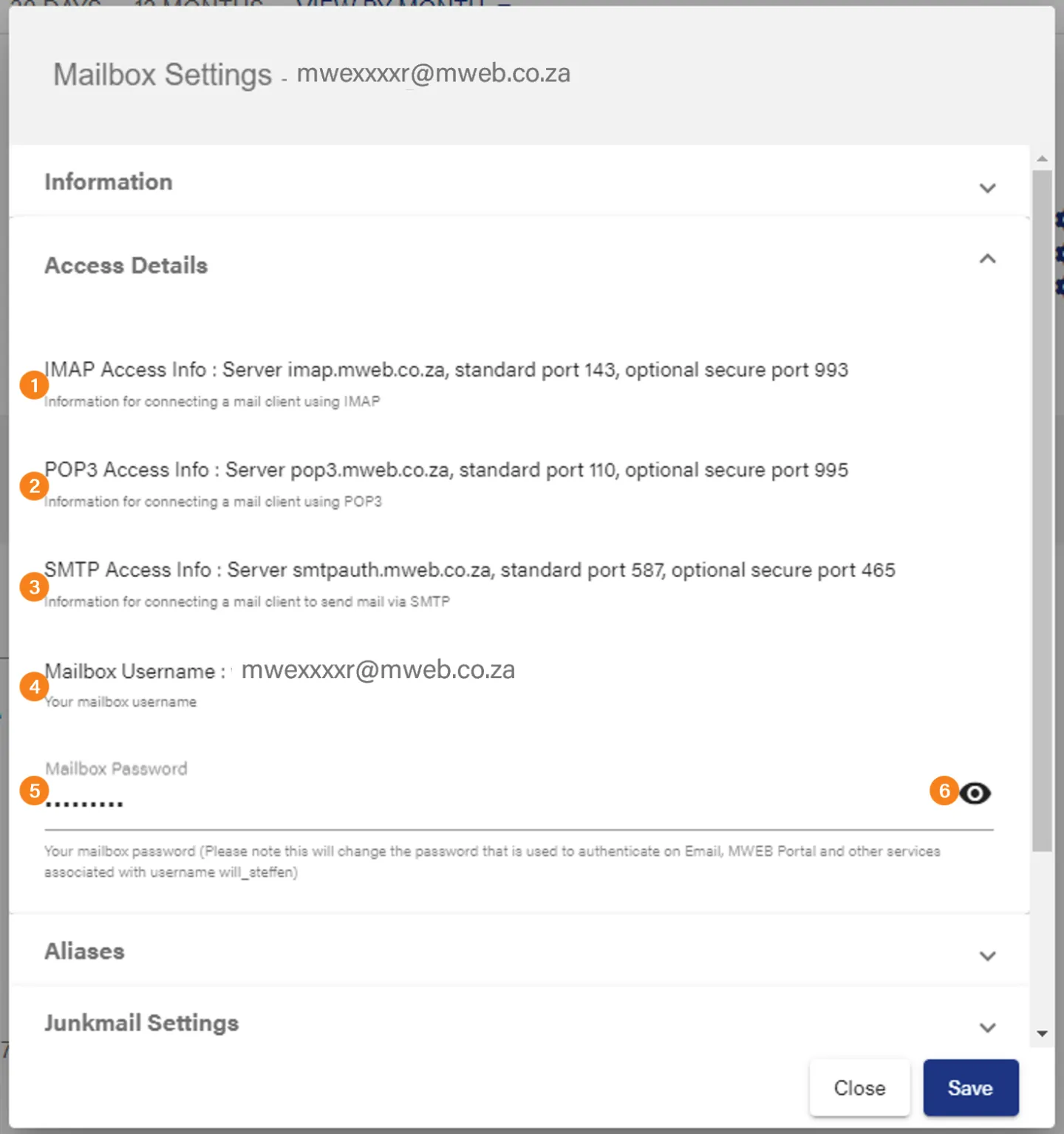
- Server details to sign in and access mail with an IMAP connection.
- Server details to sign in and download with a POP3 connection.
- SMTP (outbound) Server details to send mail.
- Mailbox username
- Mailbox Password
- Click on the eye to show/hide your password for this mailbox
Changing your password
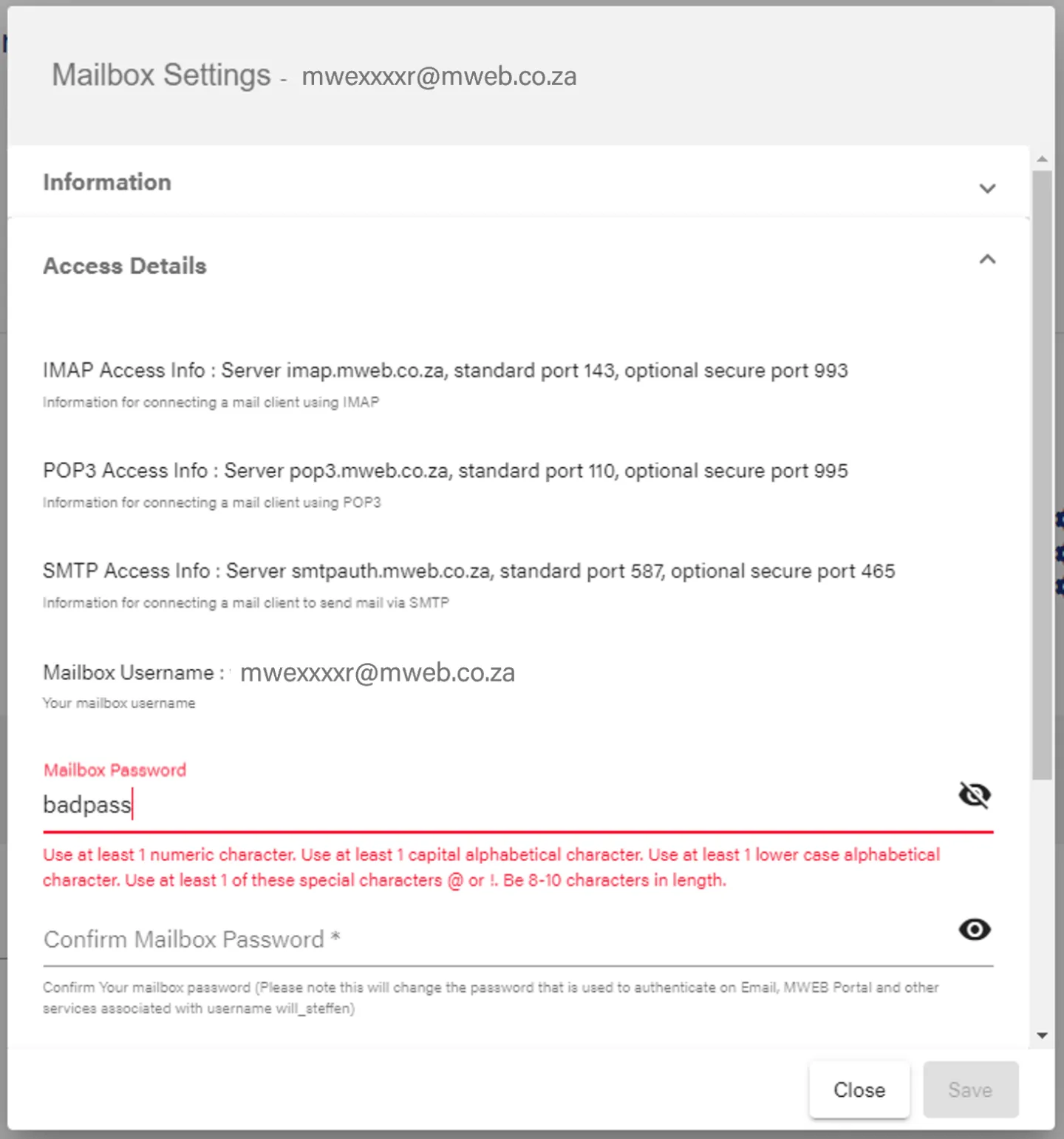
Click in the password field and begin typing to change your password.
Remember to choose a strong password, which contains both upper and lowercase letters, numbers and special characters.
Save your new password
Type in the new password again to confirm and then click Save
You can find step-by-step guides for setting up popular mail clients in this category.
Was this article helpful?