
How to setup Call forwarding for VoIP
Call forwarding is hassle free with your Mweb VoIP, just follow this easy guide to get it set up:
When you are ready to proceed, simply login to your account at www.mweb.co.za and follow along.
If you’re not sure how to log in you can follow the steps in this guide
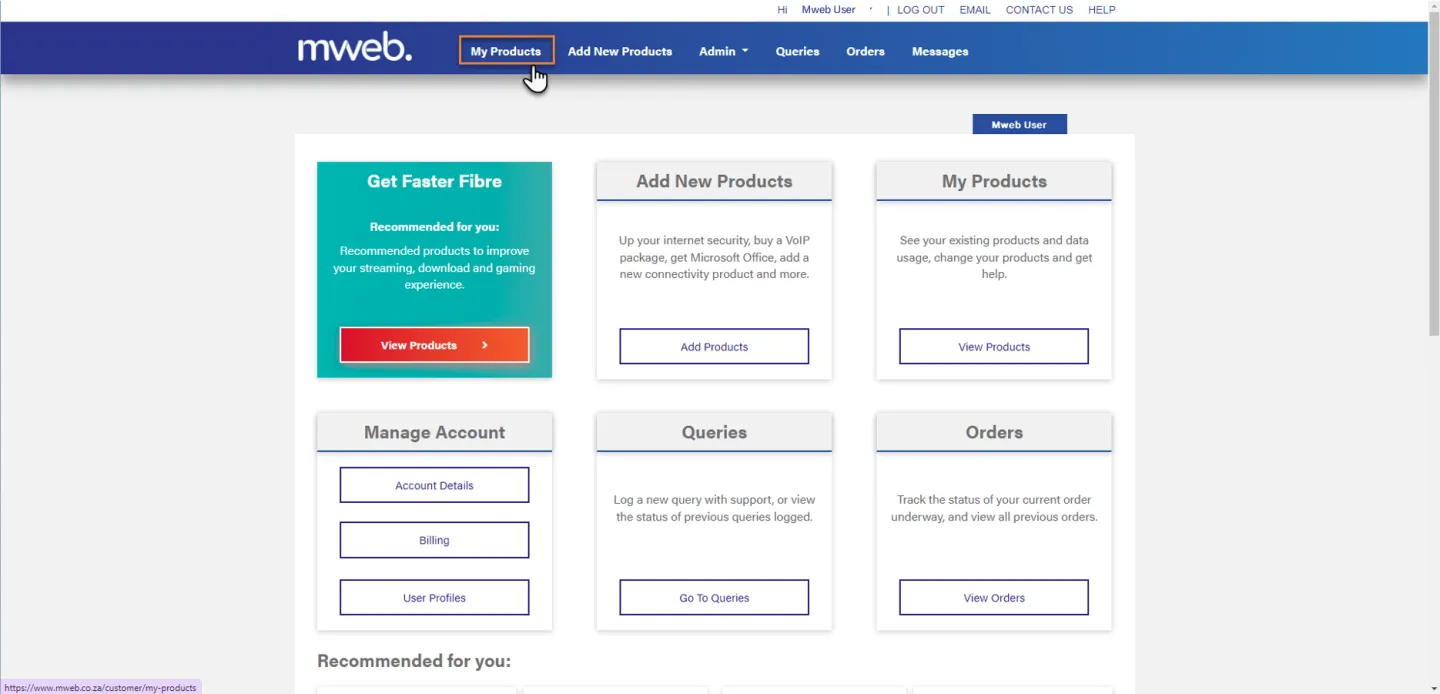
Navigate to My Products
Once you are logged in click on My Products from the menu bar.
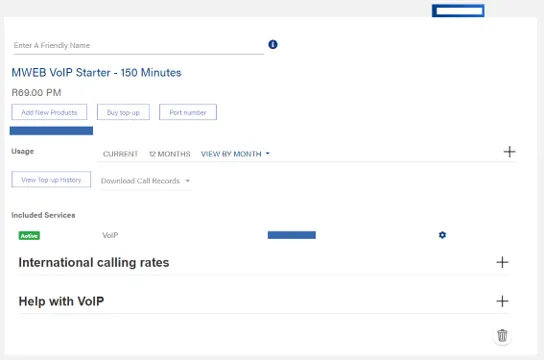
Find your VoIP Product
Scroll down to find your VoIP Product
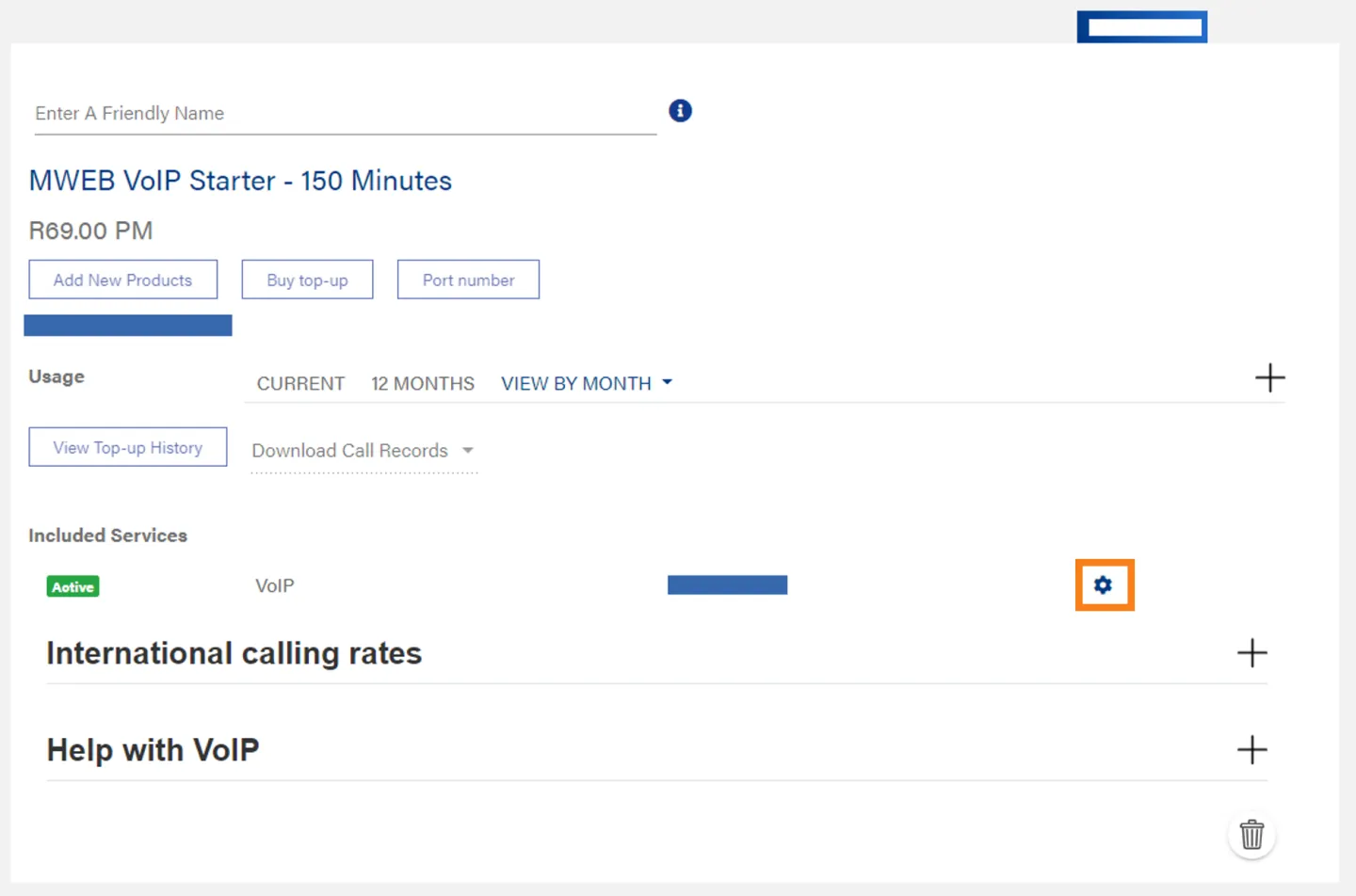
Open VoIP Service Settings
Click on the Cog to open the Settings screen.
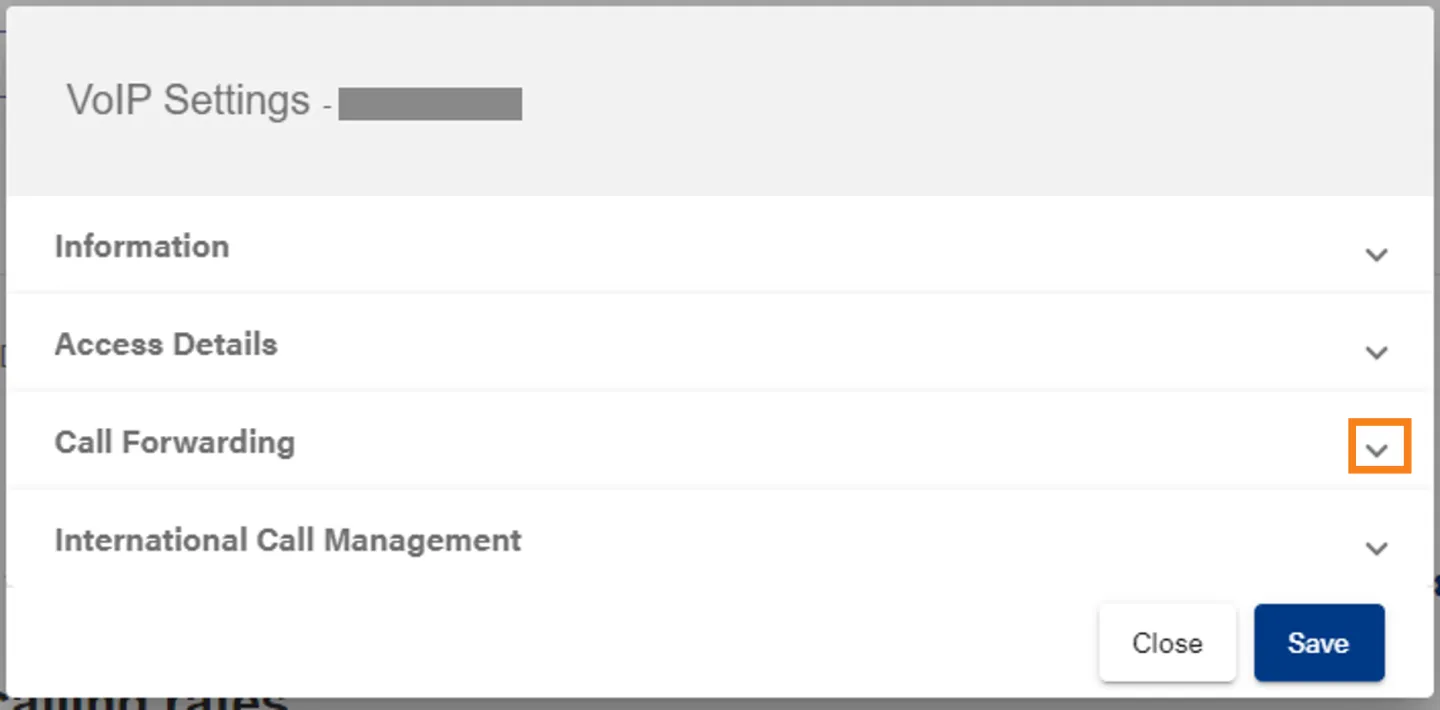
Open Call Forwarding
Click on the down arrow to expand the Call Forwarding Section.
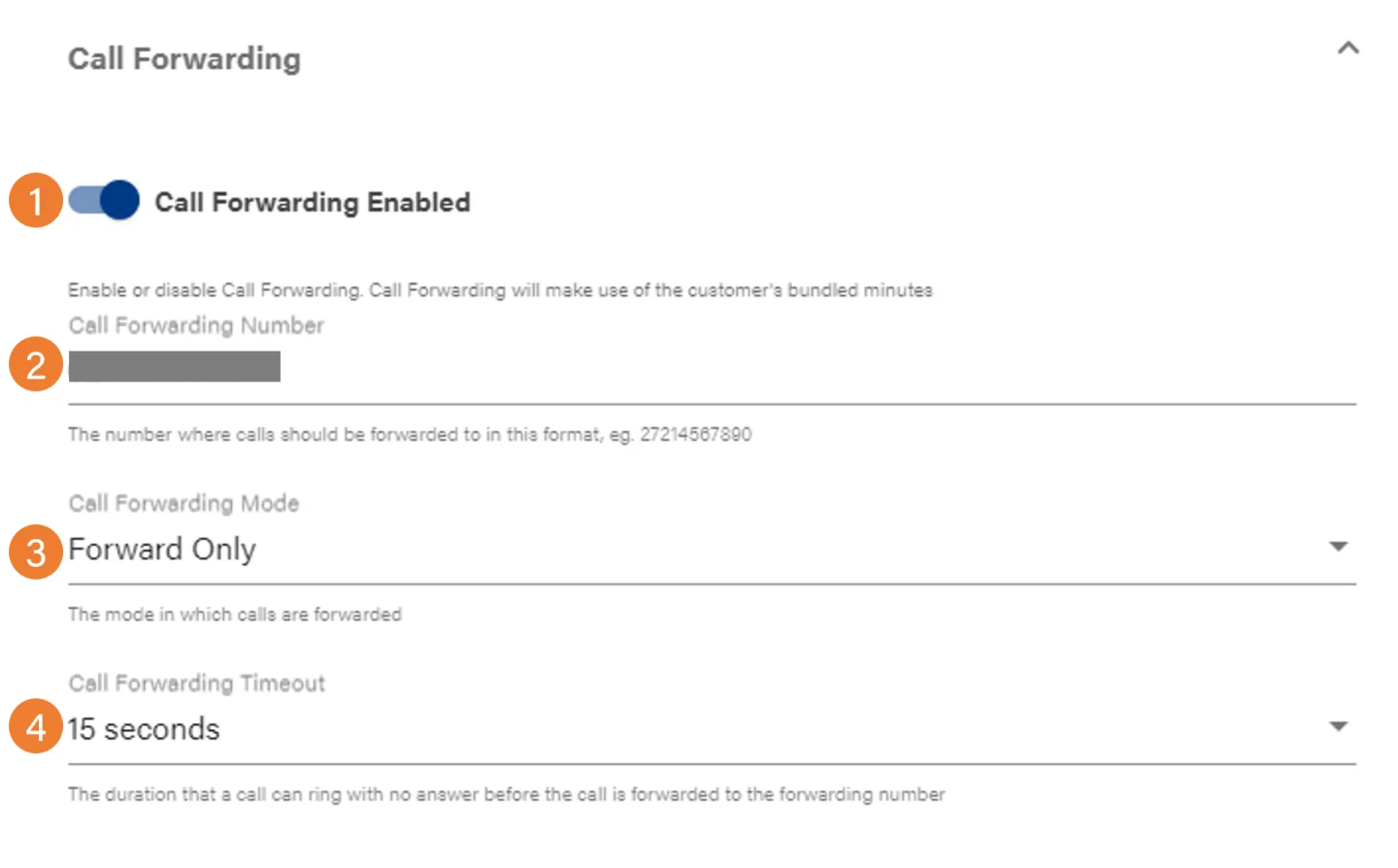
Call Forwarding Settings
- Toggle the switch to enable call forwarding.
- Set the number to forward to
- Choose between Forward Only and Ring then Forward
- Set the number of seconds to ring before the call is forwarded
Was this article helpful?