
How to set up Your DStv Account
Once you have signed up, it’s quick and easy to get your DStv Stream product activated.
Just follow these simple steps:
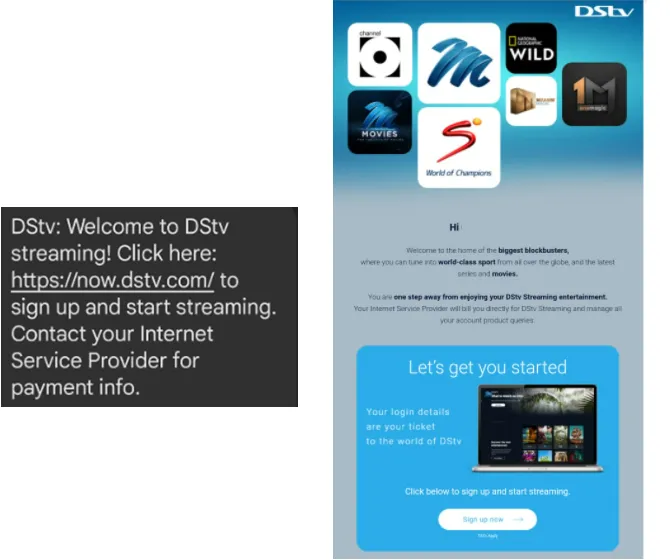
Find your SMS or Email
You will be sent a welcome SMS and Email directly from DStv help dstvhelp@multichoice.co.za
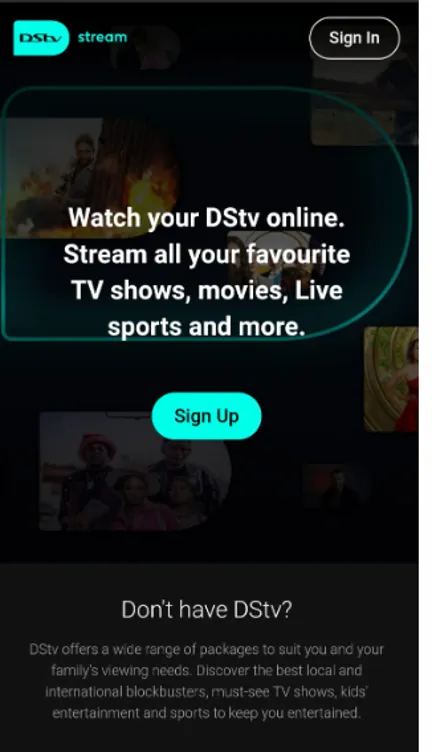
Sign Up
Click on Sign Up
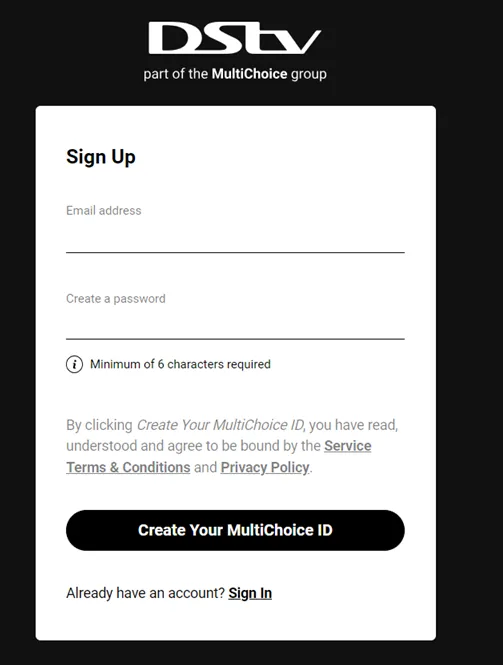
Create Your Account
Enter your preferred email address and create a password.
Click ‘Create Your Multichoice ID’
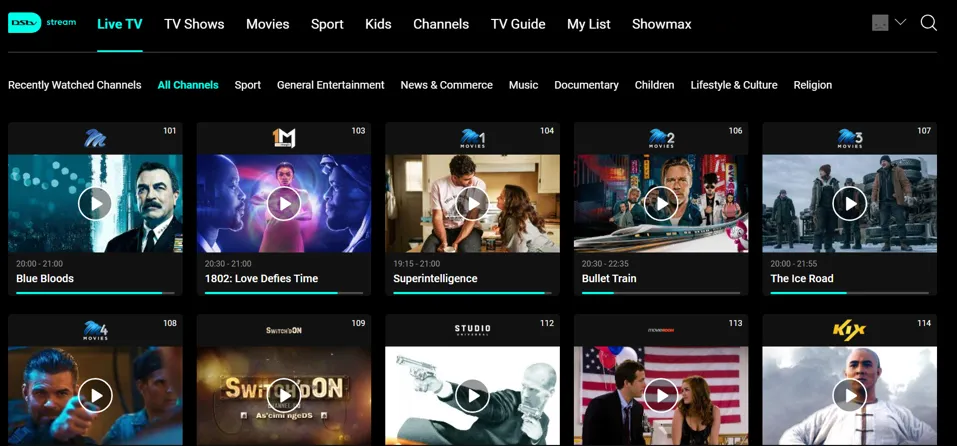
Start Watching
That’s it! You're all set to start streaming your favourite movies shows and live sport.
For more help go to https://www.dstv.com/
If you are looking for your customer number, you can follow this guide Mweb Account Login to log into your Mweb account.
If your account / email has already been linked to a previous DStv account, follow these easy steps to unlink the account.
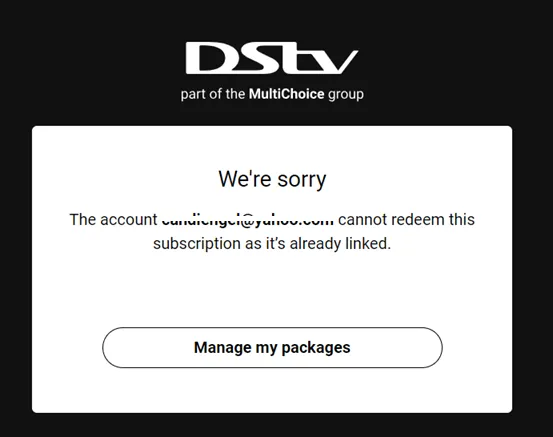
Error message
Once you click ‘Create your multichoice account’ and receive this message click ‘manage my packages’
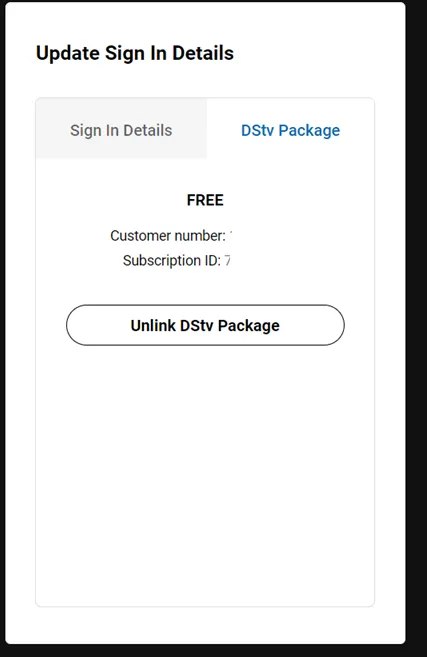
Update Details
Click on DStv Package and then click on ‘Unlink DStv Package’
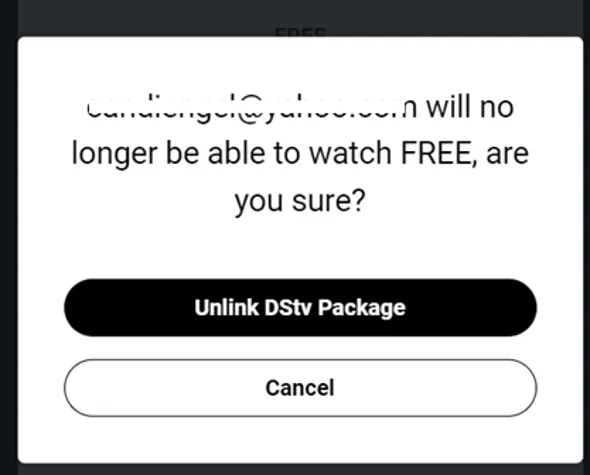
Warning Message
Click on ‘Unlink DStv Package’ again
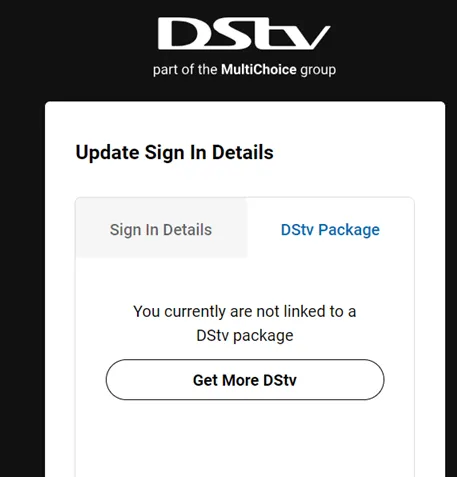
Successfully Unlinked
This message now tells you that you are currently not linked to any DStv package and you can not sign up again.
Click on ‘Get More DStv’
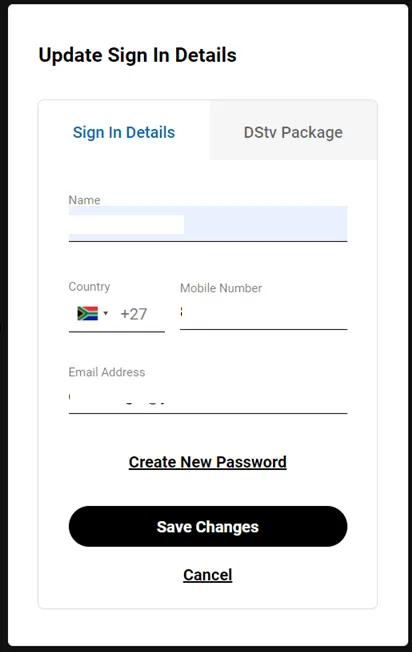
Sign in Details
Fill in your details and click ‘Save Changes’
Reset Your Password
Fill in a new password and click ‘reset’
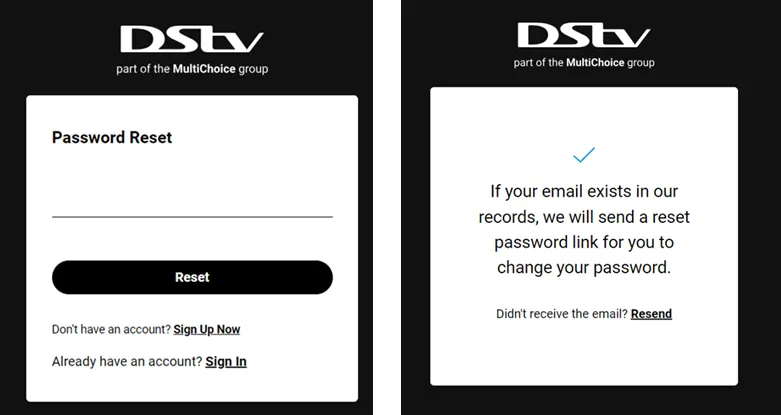
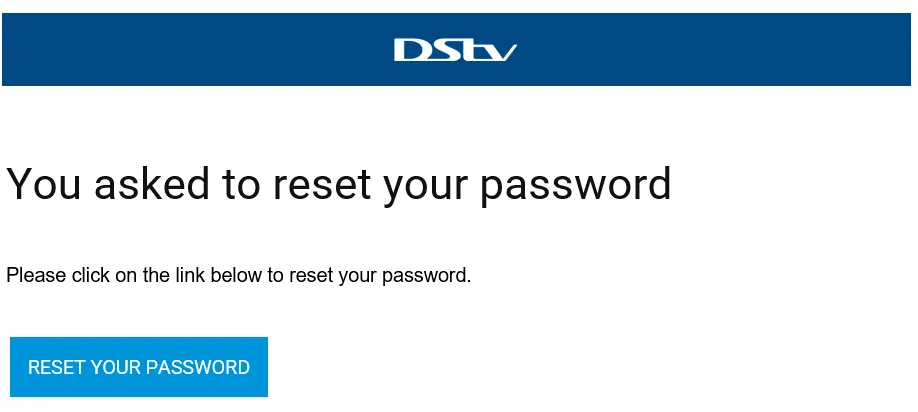
Receive Email to Reset
DStv will send you an email to reset your password; follow the email instructions.
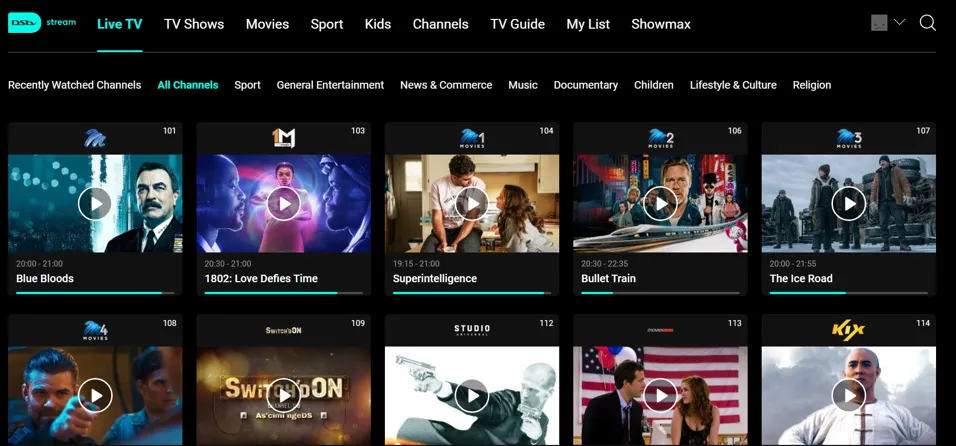
Start Watching
That’s it! you're set to start streaming your favourite movies, series and live sport.
For more help go to https://www.dstv.com/
Was this article helpful?