
How to Set Up Your Mweb Comsol 5G APN
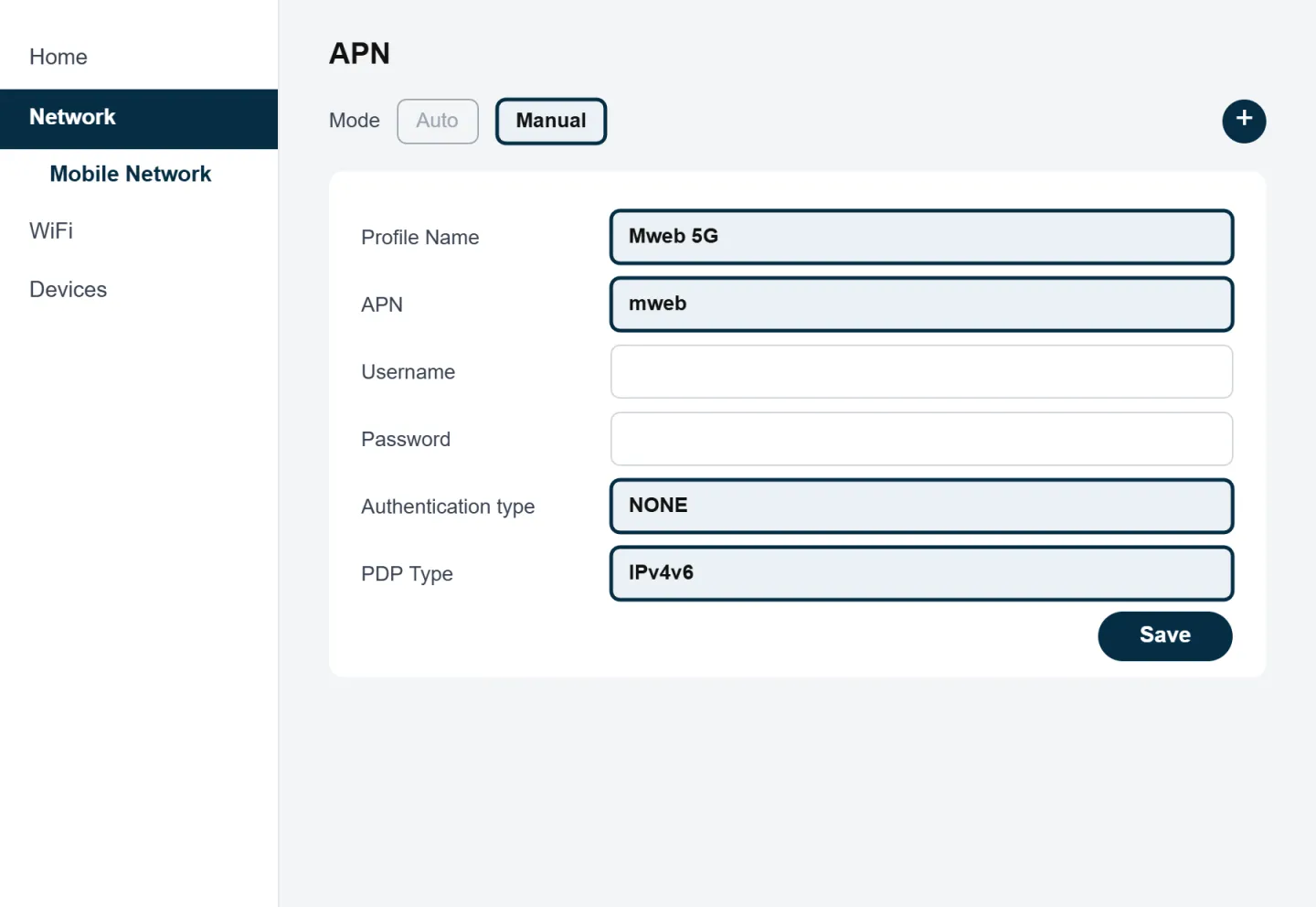
Your Mweb 5G powered by Comsol router doesn't come with the APN set up, so you'll need to add it before you can connect. Go to 192.168.0.1 and log in with the admin password on the label underneath your router. Select "Network", then "Mobile Network", change the mode to "Manual" and tap the plus icon. Enter Profile Name "Mweb 5G" and APN "mweb", leave the username and password blank, set Authentication type to "NONE" and PDP Type to "IPv4v6", then click "Save". Restart your router and give it 3 to 5 minutes to connect.
Your APN (Access Point Name) is the setting your 5G router uses to connect to the Comsol 5G network. Unlike our LTE Products, your 5G router doesn't come with the APN already set up, so you'll need to add it yourself. It only takes a few minutes.
Before You Start
What You'll Need
- Your 5G router, plugged in with your Mweb SIM inserted
- A phone, tablet or computer connected to the router's WiFi or with a network cable
- The router's admin password (on the label underneath the router)
Mweb Comsol 5G APN Settings
| Setting | Value |
|---|---|
| Profile Name | Mweb 5G |
| APN | mweb |
| Username | Leave blank |
| Password | Leave blank |
| Authentication type | NONE |
| PDP Type | IPv4v6 |
The Profile Name is just a label, so you can call it anything you like. The APN itself must be
mweb.
How to Add Your APN
Connect to Your Router
Connect your device to the router's WiFi or plug in a network cable. The WiFi name and password are on the label underneath the router.
Log In to Your Router
Open your browser, type
192.168.0.1in the address bar and log in with the admin password on the router's label.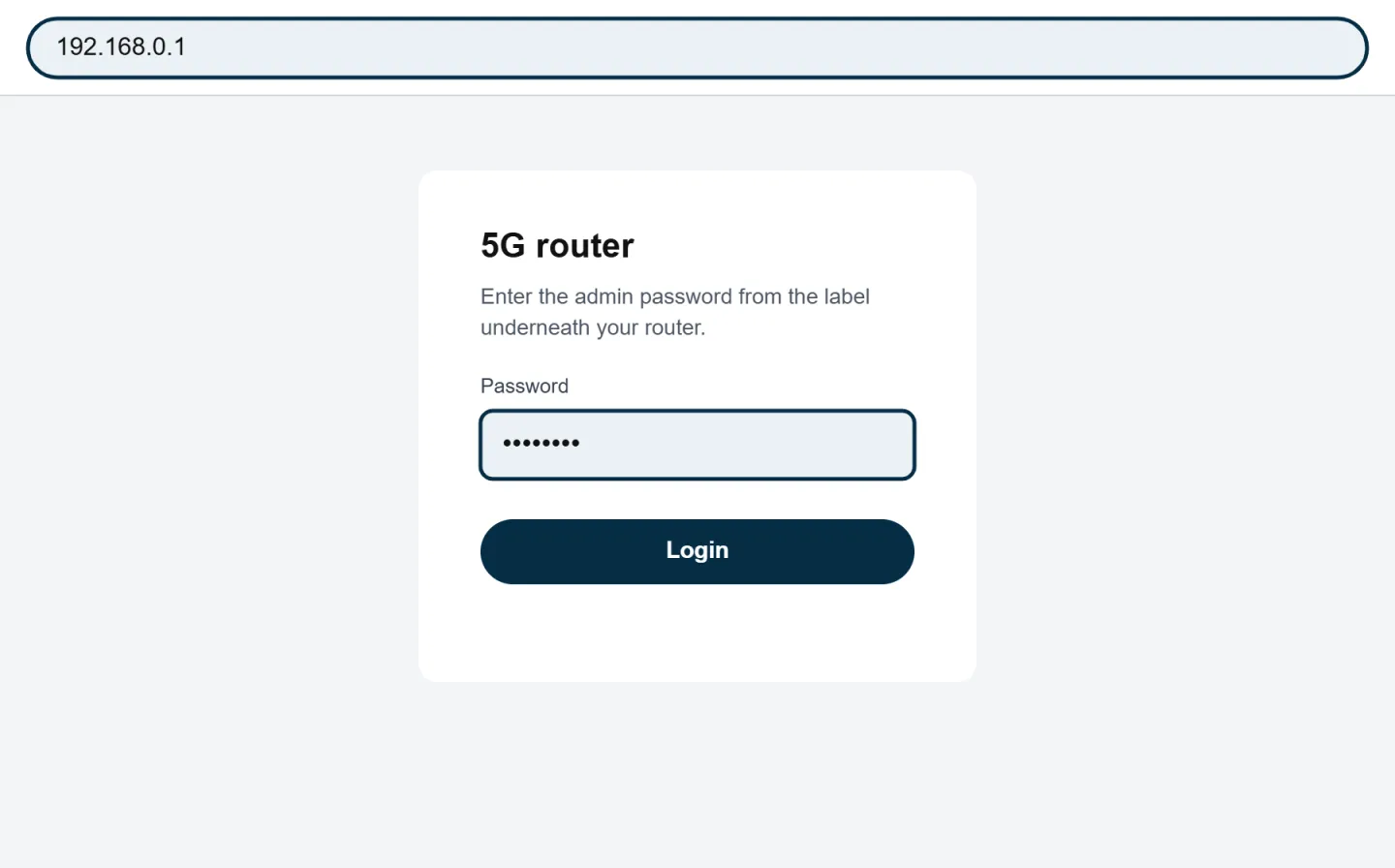
Open the APN Settings
Select Network, then Mobile Network.
Switch to Manual Mode
Change the mode from Auto to Manual, then select the plus icon to create a new APN.
Enter the Mweb Settings
Fill in the settings from the table above. Leave the username and password blank.
Save and Restart
Click Save, make it the default profile if asked, then restart your router. Give it 3 to 5 minutes to connect.
Can't Find Your APN Settings?
Router menus differ between makes and models, so if you're using a different approved 5G router, look for APN Settings, Profile Management or Dial-up instead. Your router's label has its model number and login details.
Still Can't Connect?
If your APN is correct but you're still not online:
- Restart your router and wait 3 to 5 minutes.
- Check that your SIM is inserted the right way round and clicks into place.
- Move your router closer to a window and try a few spots for a stronger signal.
- Check Outages for any known problems in your area.
A factory reset wipes your APN, along with your WiFi name and password. If you reset your router, add the APN again before testing your connection.
Was this article helpful?