
How to Run a Speedtest from our website
Looking for help with WiFi disconnections and slow speeds?
Use our Scan tool in the Mweb app to diagnose and fix WiFi issues quickly.
LEARN MORE
A speed test is one of the most vital tools for making sure that your line is performing as expected.
It’s also important to use the right tools for the job.
That’s why Mweb’s speedtest servers are setup to be fast and reliable and are correctly positioned on our network to provide meaningful test results to help us troubleshoot, should you not be happy with your experience.
-
Before you start
- Stop all downloads in progress and close all applications across all your devices.
- Remember your line speed is shared with everyone on the connection.
- Make sure everyone in your household is cooperating to get an accurate result if you plan to use this test to troubleshoot problems.
-
Testing with a LAN Cable
Plug your desktop or laptop computer directly into an ethernet port on the router for the most accurate test results.
Make sure that all applications that might be using the network in the background, such as cloud sync applications are closed.
-
Testing over Wifi
Get as close to the router as possible, the aim is to test the quality of your internet connection, not your home Wifi signal.
Ideally ensure that there are no other active devices connected to the WiFi network.
-
Open the Speedtest Page
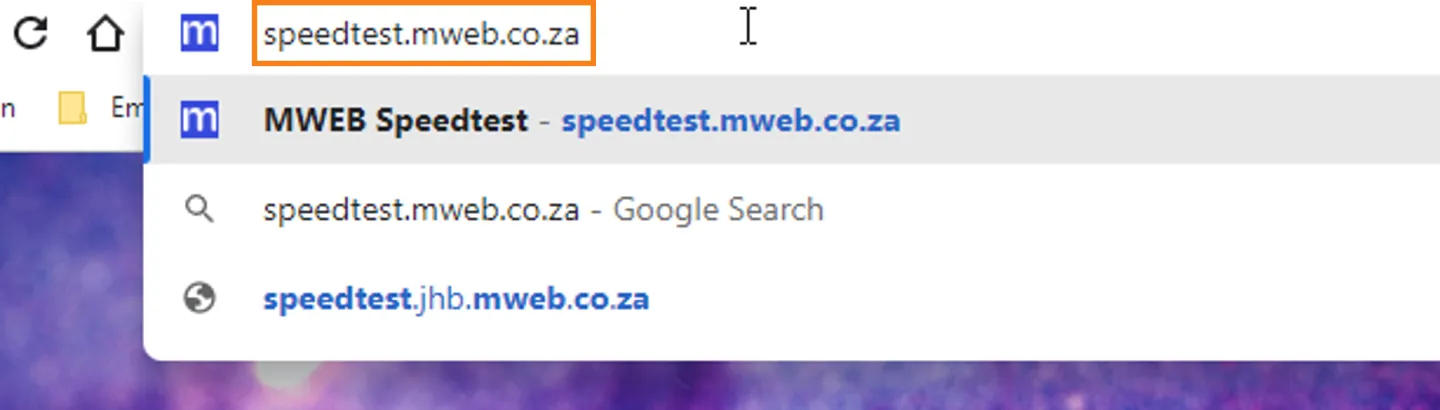
Open your web browser and navigate to speedtest.mweb.co.za
-
Start the Test
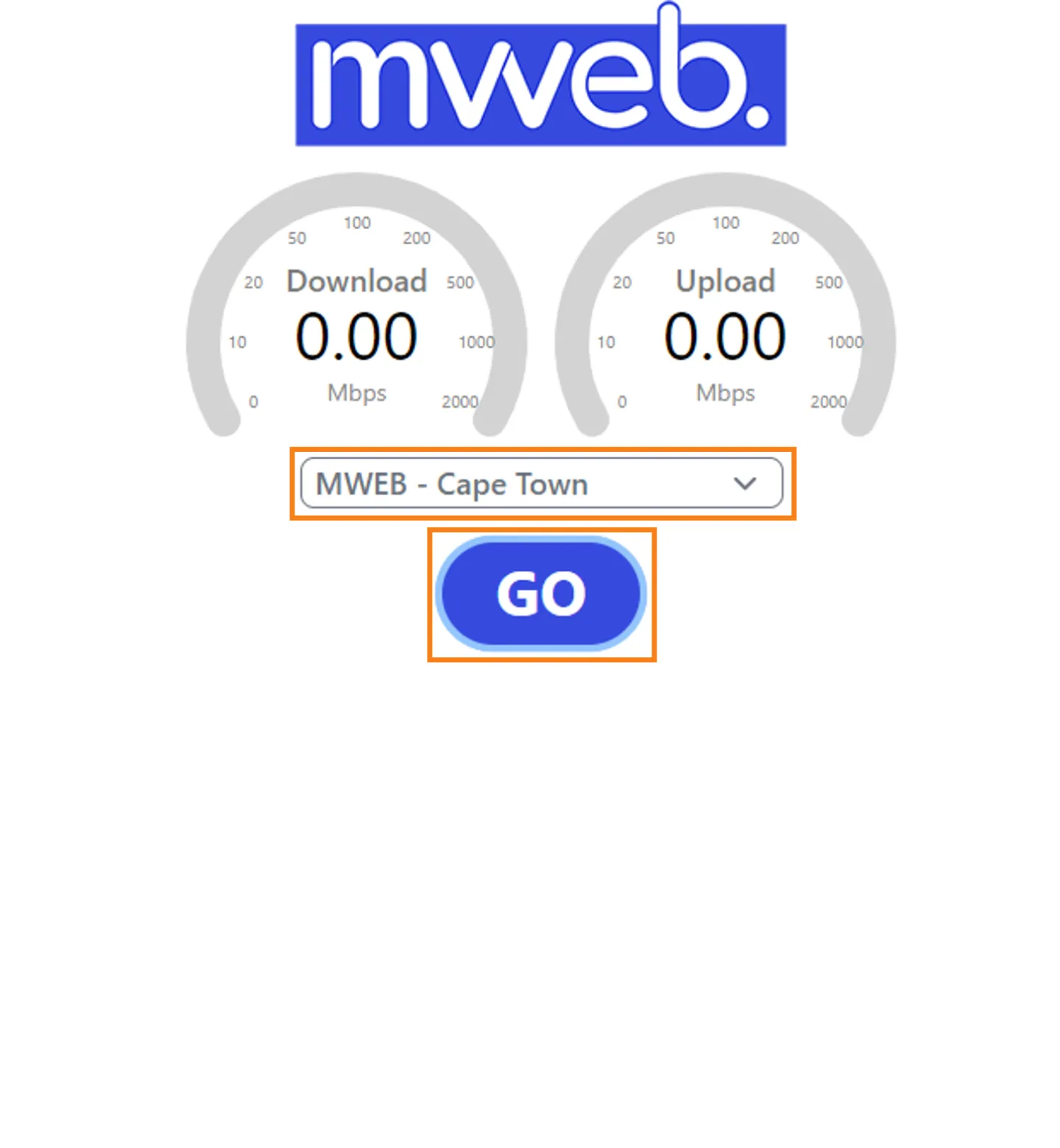
The closest server to you should automatically be selected in the drop down.
If you’re happy with the selected server click Go to start the test.
-
Review and Share your Results
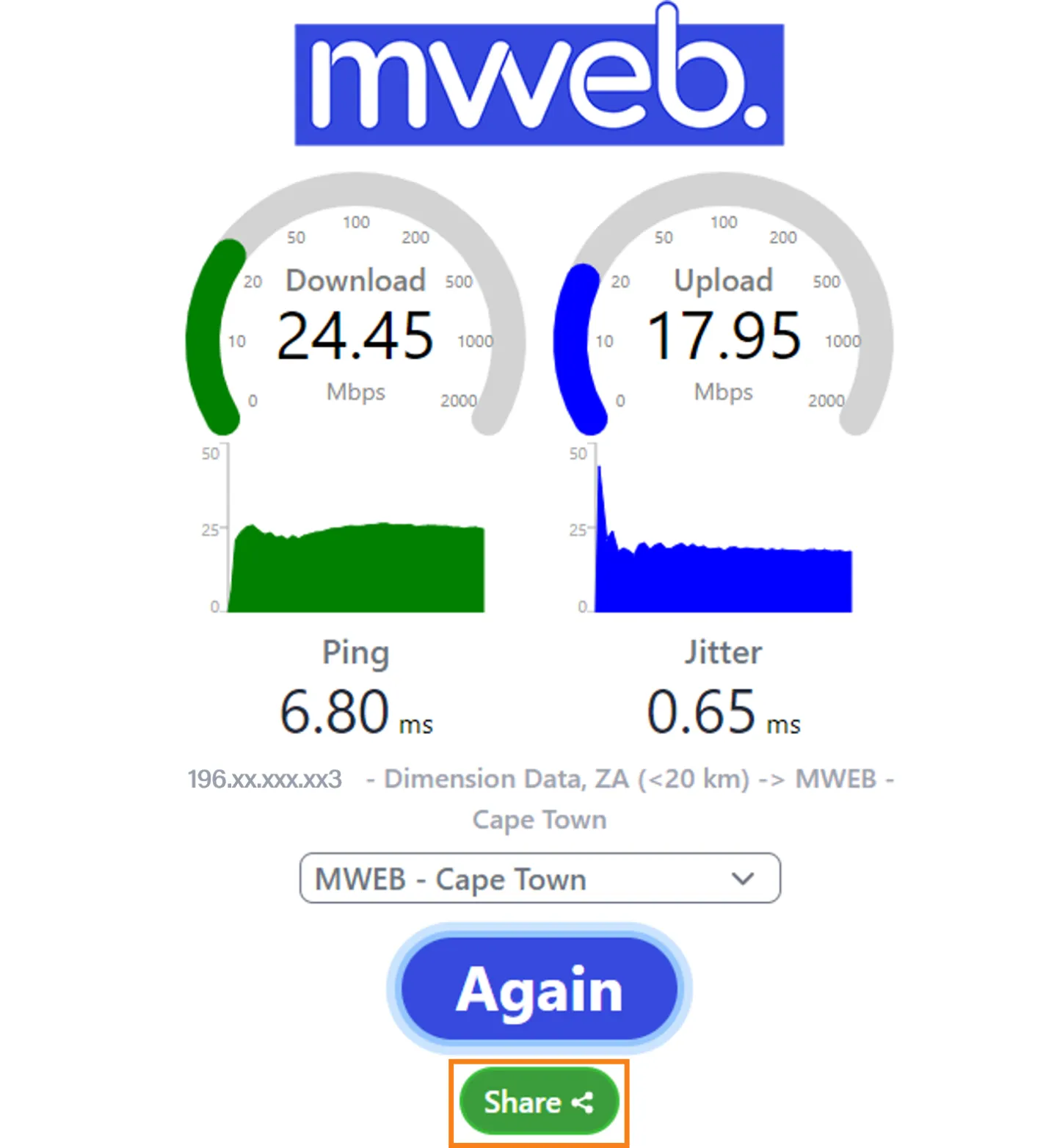
When the test completes you can compare your results to your connection speed.
You can also click on the share button and get the link to this test result which you can share with technical support, if necessary.
Was this article helpful?