
How to retrieve your Account Password
We all have busy lives and too many passwords to remember, which is why we’ve made it really easy to recover your Mweb Master Account password.
Simply navigate to our self-service portal at www.mweb.co.za and follow the easy guide below:
If you’re not registered for One Time PIN, or you no longer have access to the phone number you registered with you will need to complete the registration process in this guide .
-
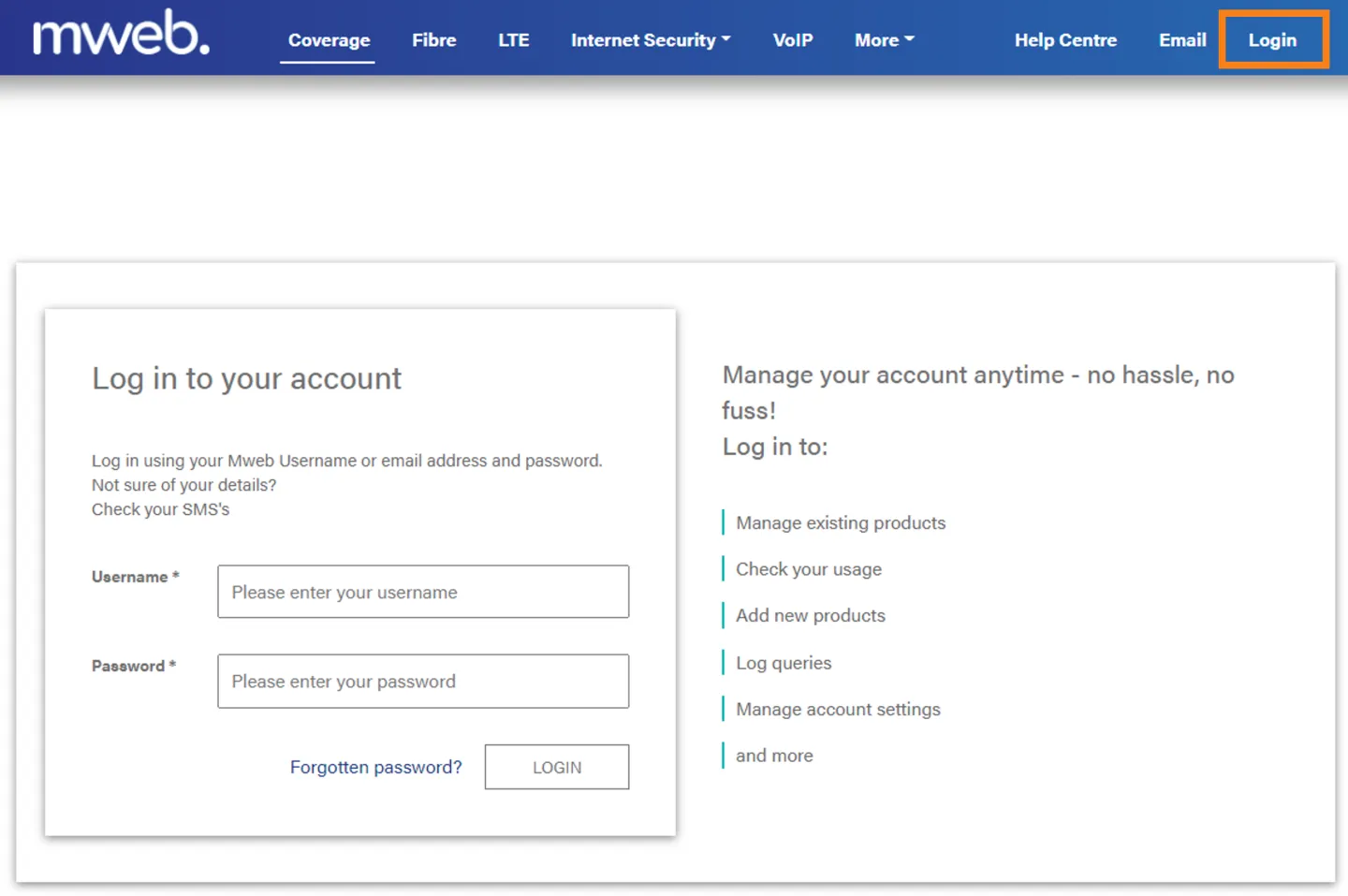
Navigate to the Login Screen
Open the Mweb Portal (www.mweb.co.za) and click on Login in the top right.
-
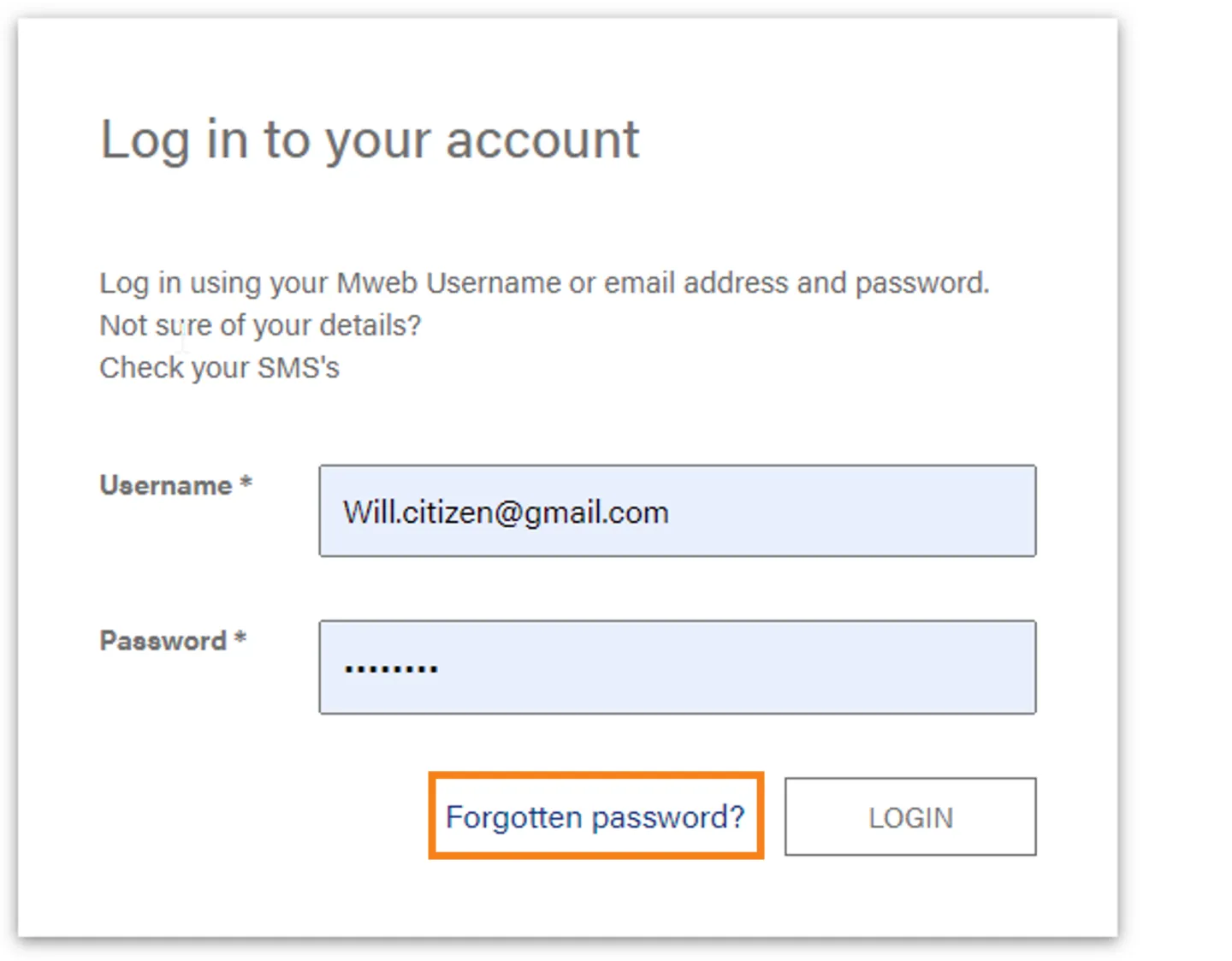
Click on Forgot Password
On the Login screen click on Forgot Password
-
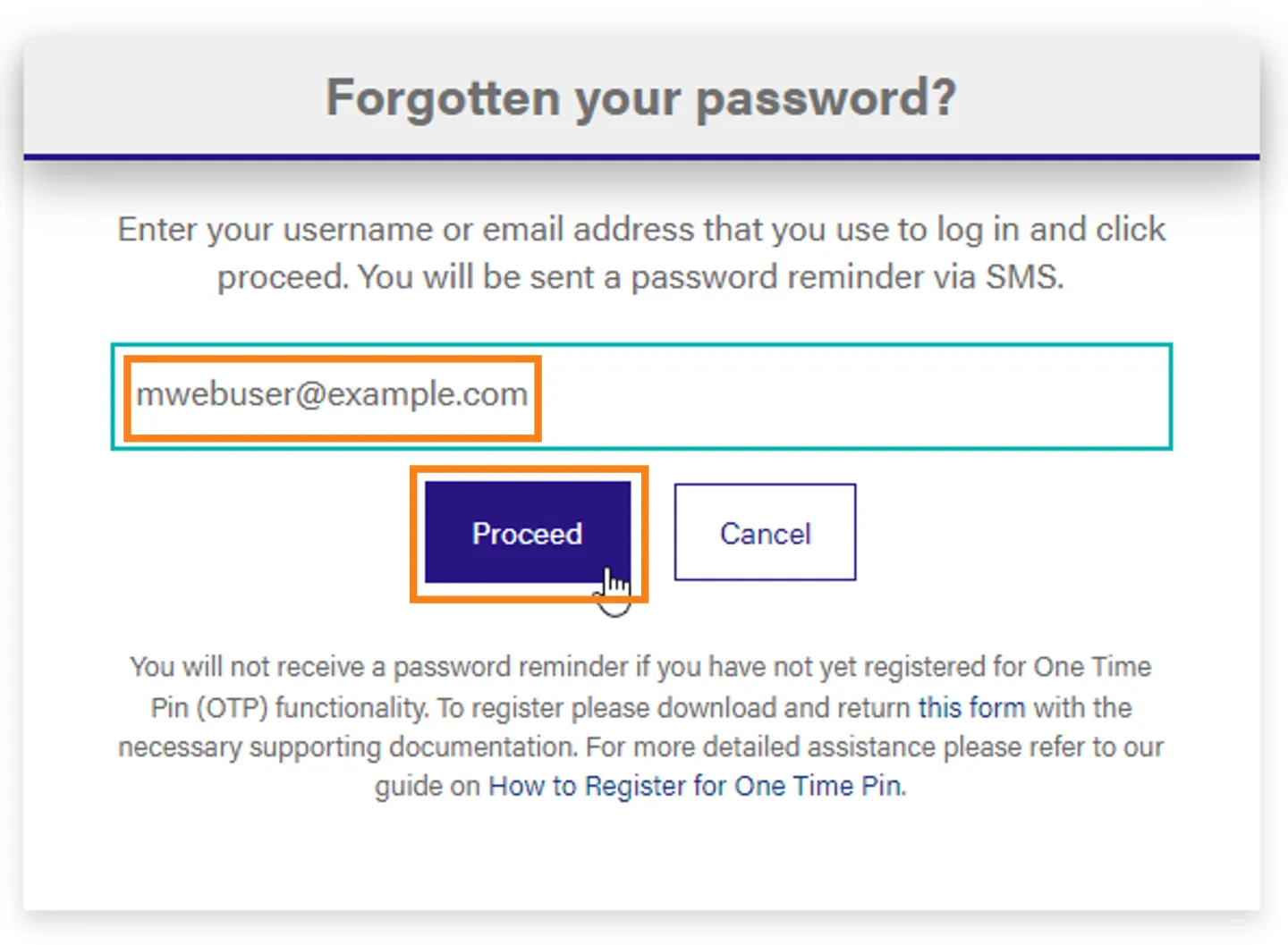
Enter your username or email address
Enter your master account username, or the email address you associated with your account when you joined Mweb and click Proceed
-
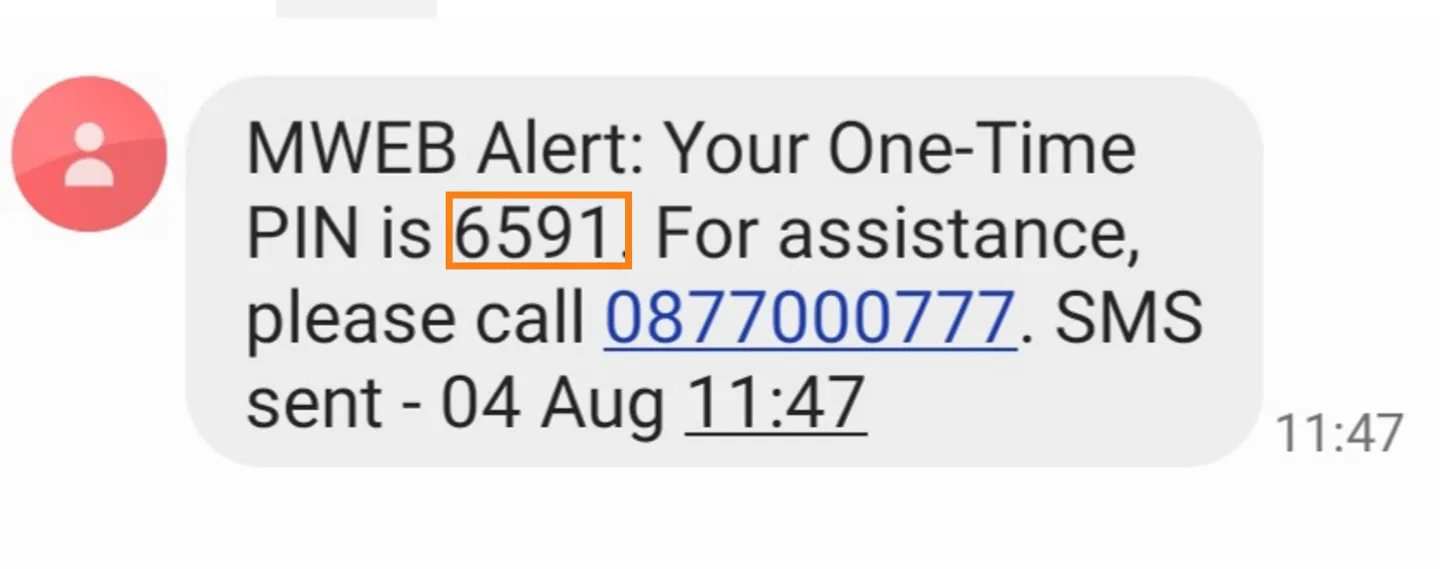
Retrieve the One Time PIN
Check your registered mobile phone for the One Time PIN.
-
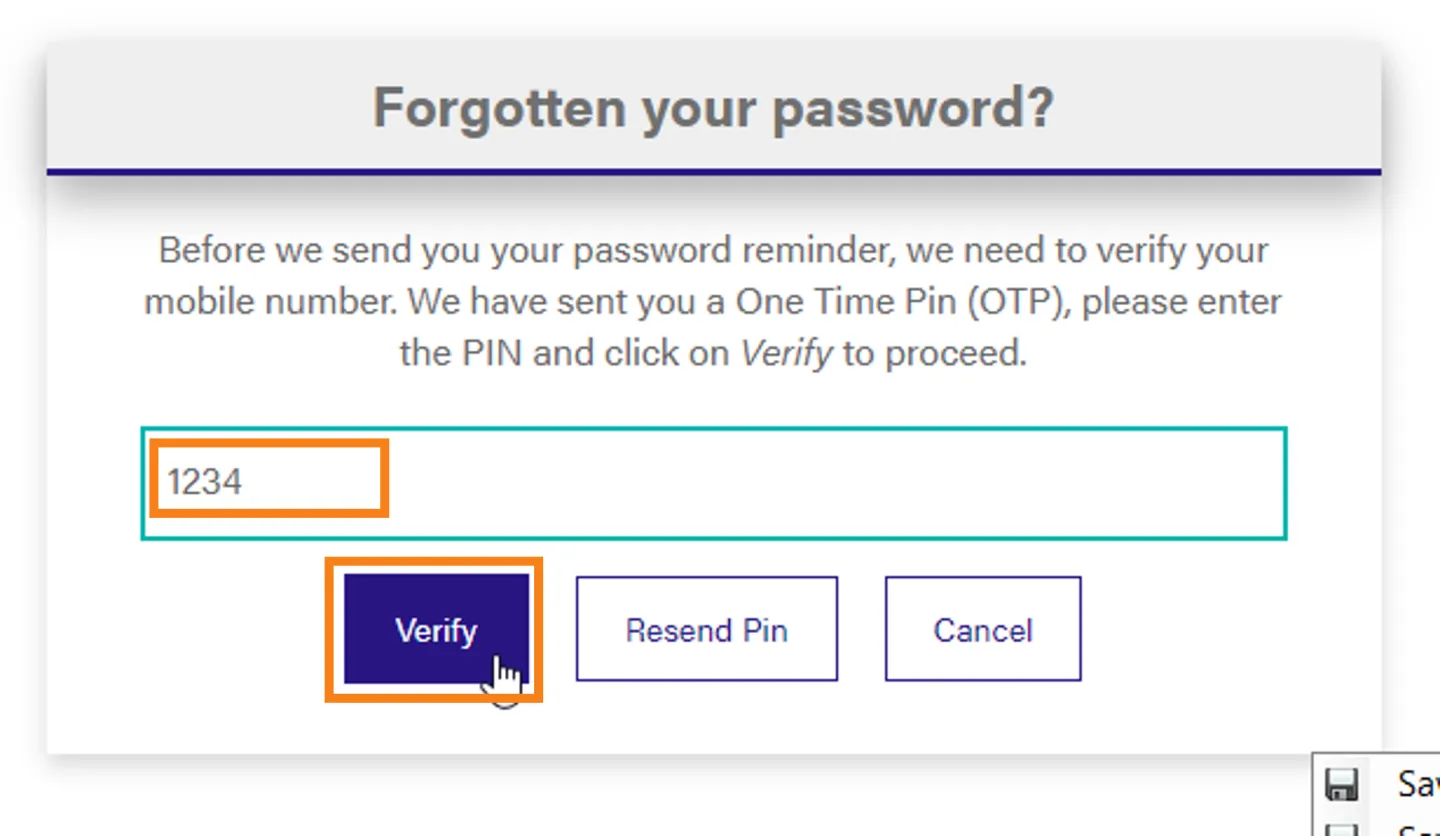
Enter the OTP
Enter the One Time PIN that was sent to your phone and click Verify
-
Password Reminder Sent
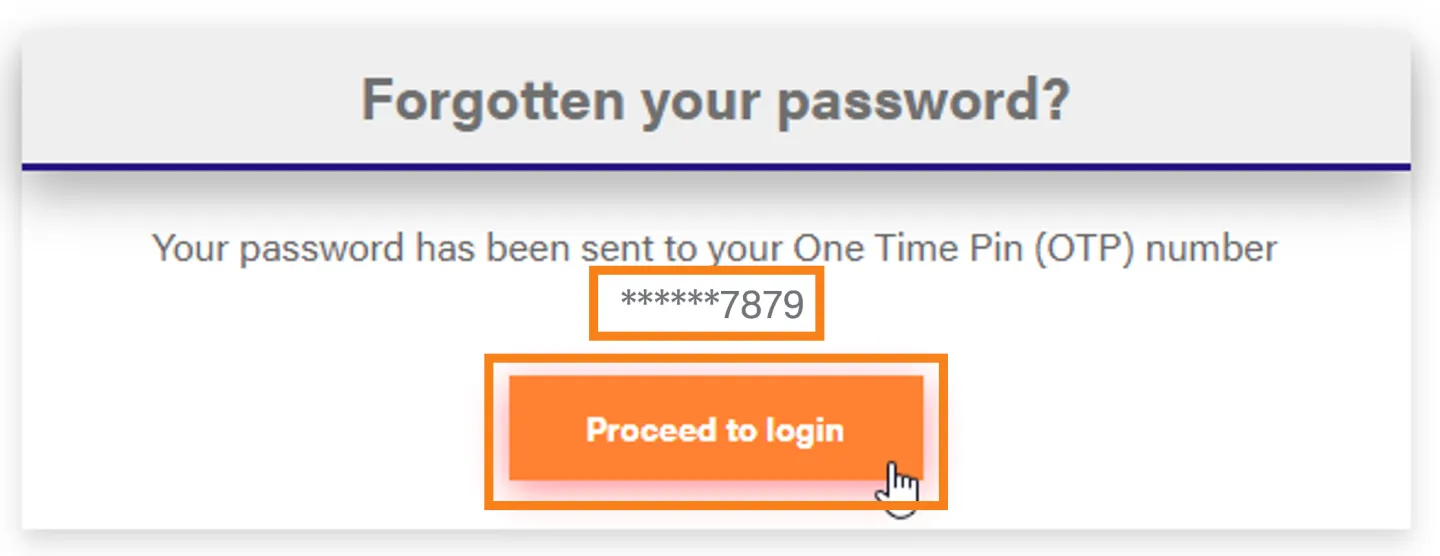
If the OTP was successfully verified a password reminder will be sent via SMS to your registered number.
Click Proceed to Login
-
Retrieve your username and password to login
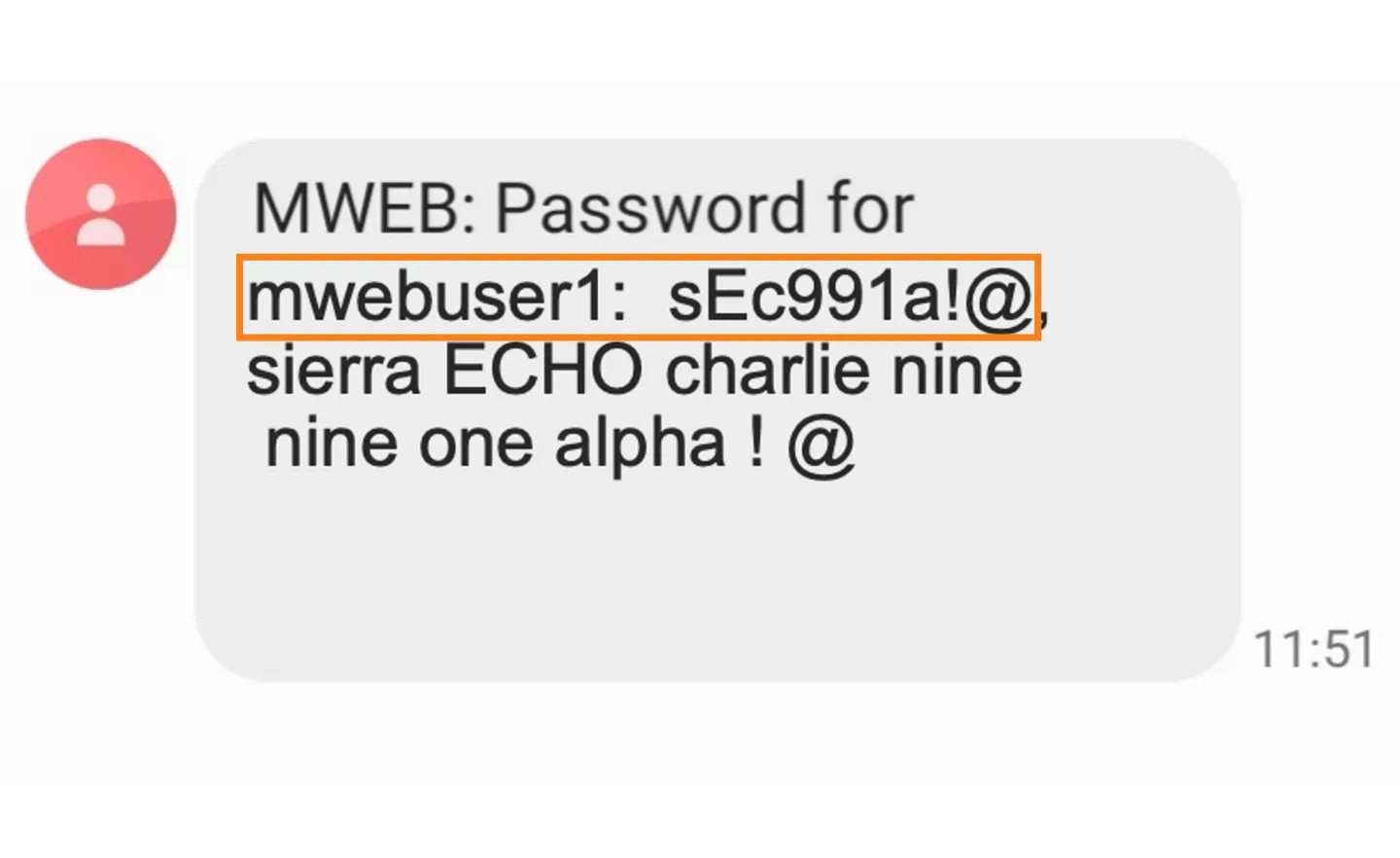
Your username and password will be in the SMS you receive
(Your password is also spelt out in phonetic language to avoid any confusion between letters, numbers and upper/lower case.)
Was this article helpful?