
How to Troubleshoot Email Sending problems
Having trouble sending emails? Let's get you back online! This guide will walk you through some common causes and how to fix them.
Before diving into error codes, let's cover the essentials:
- Your Internet Connection: Sometimes, email problems aren't with your email itself, but with your internet connection. Visit https://www.whatismyisp.com/ to confirm your internet service provider (ISP) and IP address. If you're not using a Mweb connection, the network you're on might have restrictions that are blocking email sending.
- Server Name and Port: Double-check that you've entered the correct servername and port settings in your email program. A simple typo can cause issues. (You'll need to refer to your email provider's documentation for the correct settings. Mweb customers can usually find this information in their account settings or help documentation.)
- Email Addresses: Make sure the email addresses in the "From" and "Reply-To" fields are correct and that you are using your Mweb email address (e.g., test@mweb.co.za) and not an address from another provider (e.g., test@otherprovider.net). Typos are a common culprit!
- Username and Password: Carefully retype your email username and password. Passwords are case-sensitive, so make sure Caps Lock isn't on.
Decoding Error Messages
If you're seeing an error message, it can give us clues about the problem. Here are some common ones and what they mean:
-
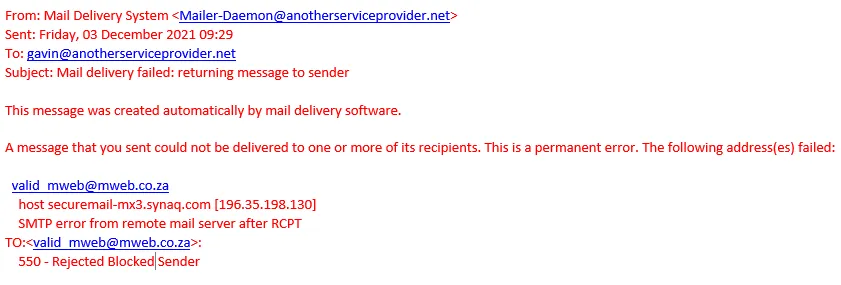
Error 550 - Rejected Blocked Sender:
This usually means Mweb's system has detected that your email address might have been compromised, as a security measure. It's like a lock on your account to protect you.
- What to do:
- Change your password immediately. Choose a strong, unique password.
- Check your webmail settings: Log in to your Mweb webmail and remove any filters, forwarding rules, or message notifications you don't recognize. These could be redirecting your emails without you knowing.
- Unlock your email address: After completing the steps above, your email address should unlock automatically. If you still see "lock-like" errors after 30 minutes, contact Mweb support.
-
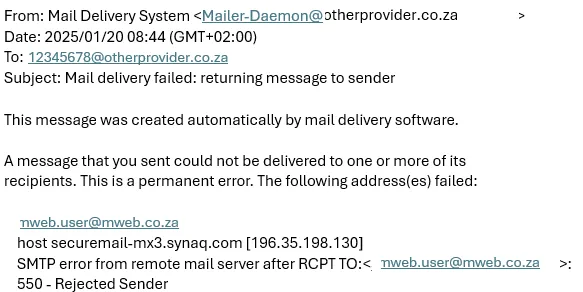
Error 550 - Rejected Sender:
This is similar to the "Blocked Sender" error, but it often happens when someone who isn't using Mweb tries to send an email to a Mweb user.
- What to do:
- If it's your Mweb email: Follow the same steps as for "Rejected Blocked Sender" (change password, check webmail settings, unlock).
- If it's someone else's email: Ask them to change their password and contact us to request an unlock.
-
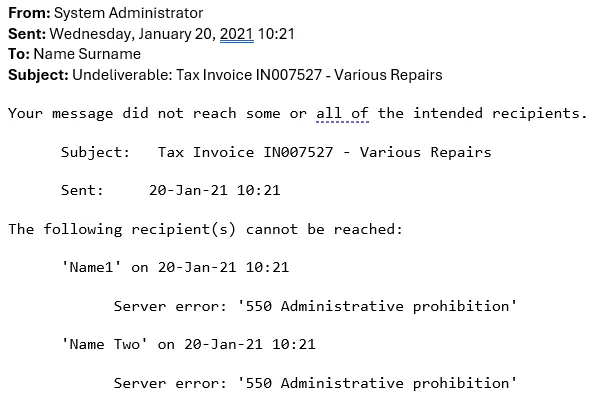
Error 550 - Administrative Prohibition:
This error has many possible causes, and it might not even be coming from Mweb's systems.
- What to do: Let's go back to the basics:
- Check your internet connection: Are you online? Use the website mentioned earlier to verify.
- Verify server settings: Double-check your SMTP server and port settings in your email program.
- Confirm email addresses: Are the "From" and "Reply-To" addresses correct?
- Is it a Mweb email? Is the sending email address hosted by Mweb? Are you using Mweb's SMTP server? Are you on a Mweb internet connection? Answering these questions will help narrow down the source of the problem.
-
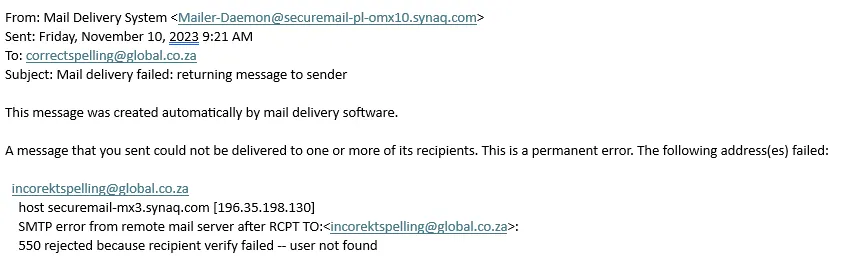
Error 550 - Rejected because recipient verify failed:
This often means there's a problem with the recipient's email address.
- What to do:
- Double-check the address: Look for typos, incorrect spelling, or incorrect syntax (e.g., missing @ symbol).
- Check if the account exists: The recipient's account might have been cancelled.
- Contact the recipient via an alternate method (like an alternate email address or WhatsApp) and provide them with the error so that they can check with their mail provider. Note that the error could have been a temporary problem on the recipients' end, and they would need to provide the failure to their provider.
- If all else fails: If you've checked everything and still can't find the problem, contact Mweb support.
Still having trouble?
If you've tried these steps and you're still experiencing email issues, please don't hesitate to contact Mweb support for further assistance. They have the tools and expertise to help you resolve the problem.
Was this article helpful?