
How to send a Quarantine Report for Mail
If you're not receiving newsletters from your Bonsai Club or other important sources, it's possible they've been quarantined.
Request a report of high-scoring quarantined items for review.
Note that low-scoring quarantined items are typically found in your junk folder.
Use the guide below to take control of your quarantined messages.
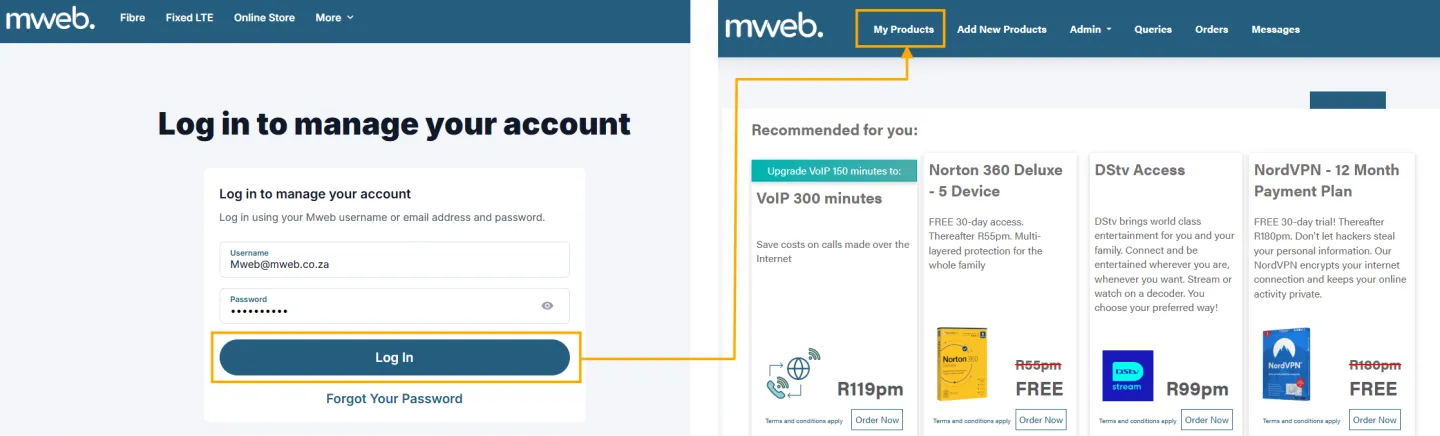
You will need to have your username and password for your Mweb account ready.
If you’re not sure how to log in you can follow the steps in this guide.
Step-by-Step Setup Guide
Here’s how you can retrieve your E-mail Quarantine Report.
-
Access the Products screen
• Once logged in with Full Access, Click on My Products.
-
Locate the Mailbox
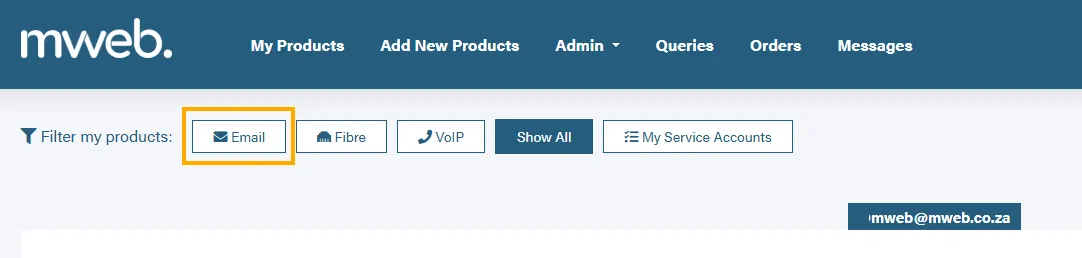
• Now on the left, next to “Filter my products”, click on Email.
-
Access the Quarantine report Option
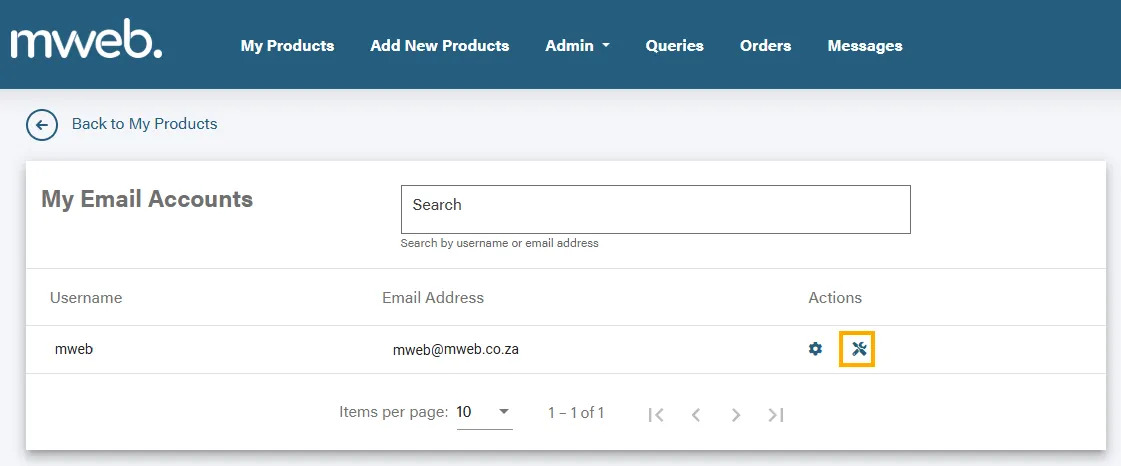
• Click the actions icon next to your mailbox.
-
Sending Quarantine report to your mailbox
• Here you will see the option to Send Quarantine Report.
• Click on send.
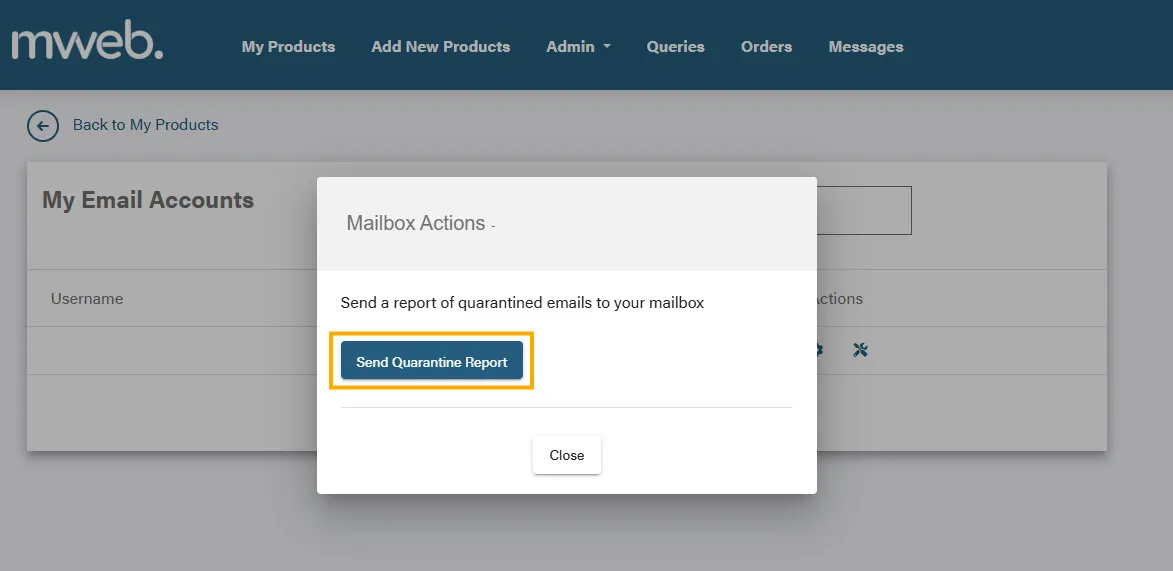
If no quarantine report is received within 20 minutes, no high-scoring spam was quarantined.
Was this article helpful?