Fixing POP Mail That Will Not Download in Outlook

Fixing POP Mail That Will Not Download in Outlook

  • If your POP mail is not downloading in Outlook, your profile may be corrupt, or there may have been a recent connection issue. Before you make any changes, check that there are no Mweb outages.

    The good news is that modern versions of Outlook separate your mail (PST file) from your account settings. This means you can safely recreate your Outlook profile without losing any of your existing mail.

  • Safe to Know

    Removing or recreating an Outlook profile does not delete your PST file.
    Your PST stays on your computer and remains intact unless you manually delete it.

  • 1. Find Your Existing PST File

    1. Open Outlook.
    2. Go to File.
    3. Select Account Settings, then select it again.
    4. Open the Data Files tab.
    5. Note the location of your PST file.

    Do not rename or move it.

    2. Create a New Outlook Profile

    1. Close Outlook.
    2. Press Windows key + R, type control, and press Enter
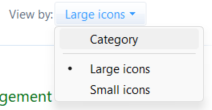
    3. Switch to Large icons view if you are in Category view
    4. Choose Mail (Microsoft Outlook) icon
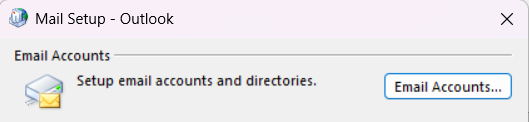
    5. Select Email Accounts.
    6. Select Email tab and click New.
    7. Choose Manual setup
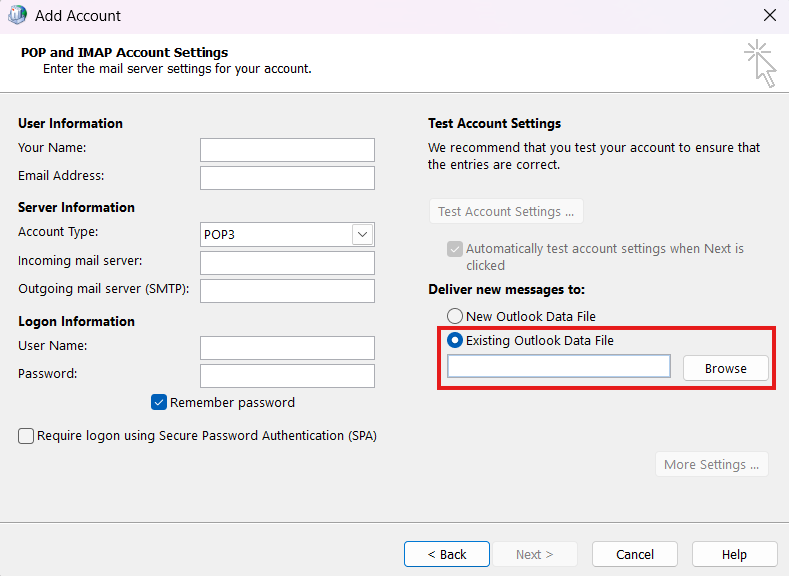
    8. Choose POP or IMAP

    3. Link the New Profile to Your Existing PST

    1. Choose Existing Outlook Data File
    2. Browse and select the Existing PST file based on the file name you noted earlier.

    Important Settings

    • Use the same email address and password as before.
    • Incoming server must be pop3.mweb.co.za.
    • Outgoing server must be smtp.mweb.co.za.

    Select More Settings and confirm:

    Outgoing Server

    • Tick My outgoing server requires authentication.

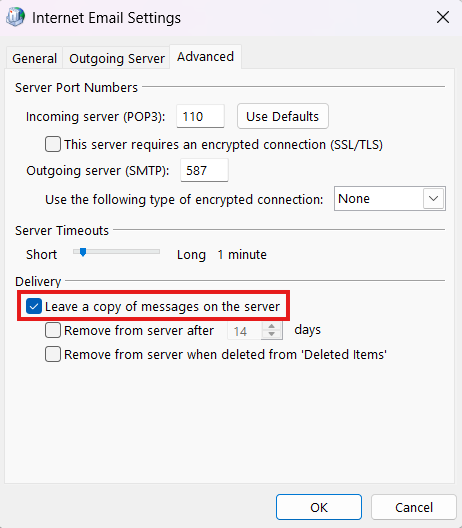
    Advanced

    • POP3 port: 110
    • SMTP port: 587
    • Tick Leave a copy of messages on the server to avoid losing mail.
    • Your mail is now restored.
    • Open Outlook.
    • Your mail will now download normally into your existing PST.
  • Why You May See Duplicate Emails

    If your mailbox was recently migrated, POP may download older emails again. This is normal POP behaviour and can be cleaned up by sorting your inbox by Received and deleting duplicates.

    ©Mweb (Pty) Ltd. All rights reserved.

    ISPA Logo