
How to Retrieve your License Key for a Value Added Service
Mweb offers a range of value added subscriptions such as Security products and Microsoft 365 that rely on a license, or activation key to be installed.
Your key will always be sent to you when your product is purchased, or renewed, but you can also retrieve it yourself in just a few easy steps.
When you are ready to proceed, simply login to your account at www.mweb.co.za and follow along.
-
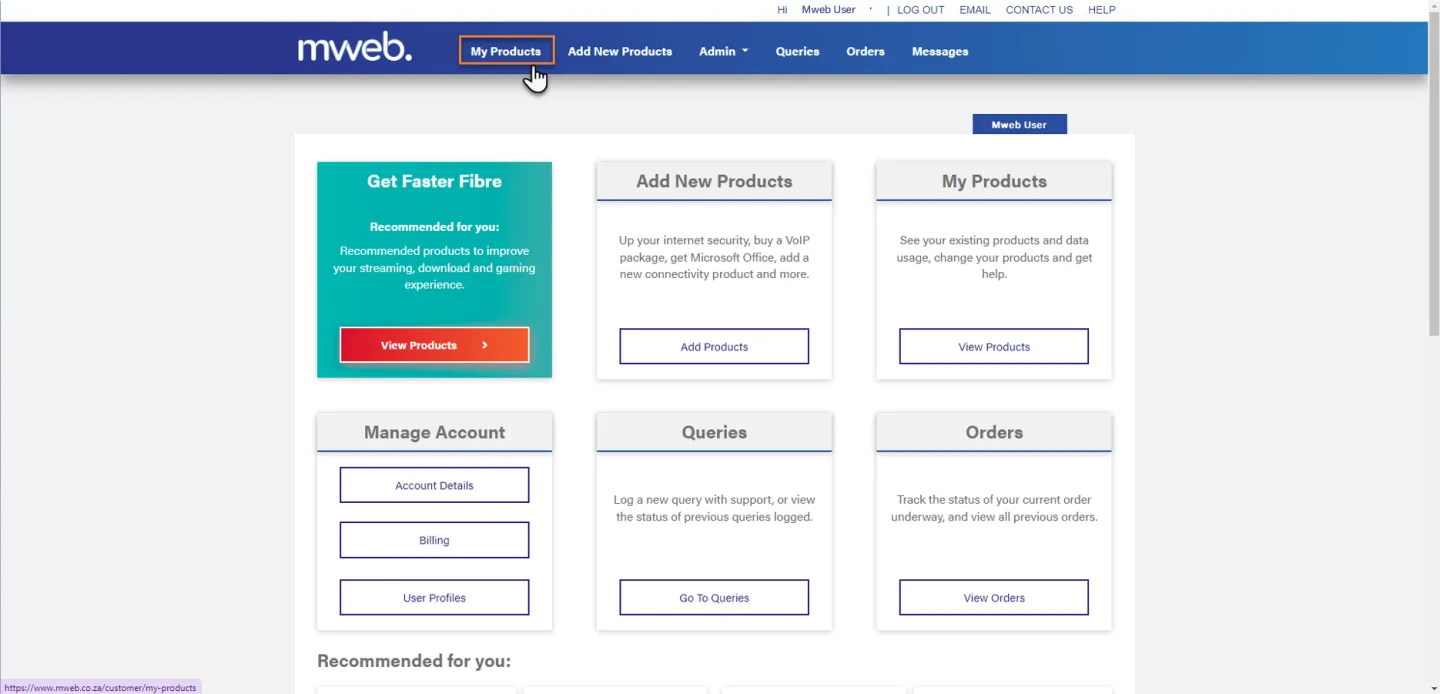
Navigate to My Products
Once you are logged in click on My Products from the menu bar.
-
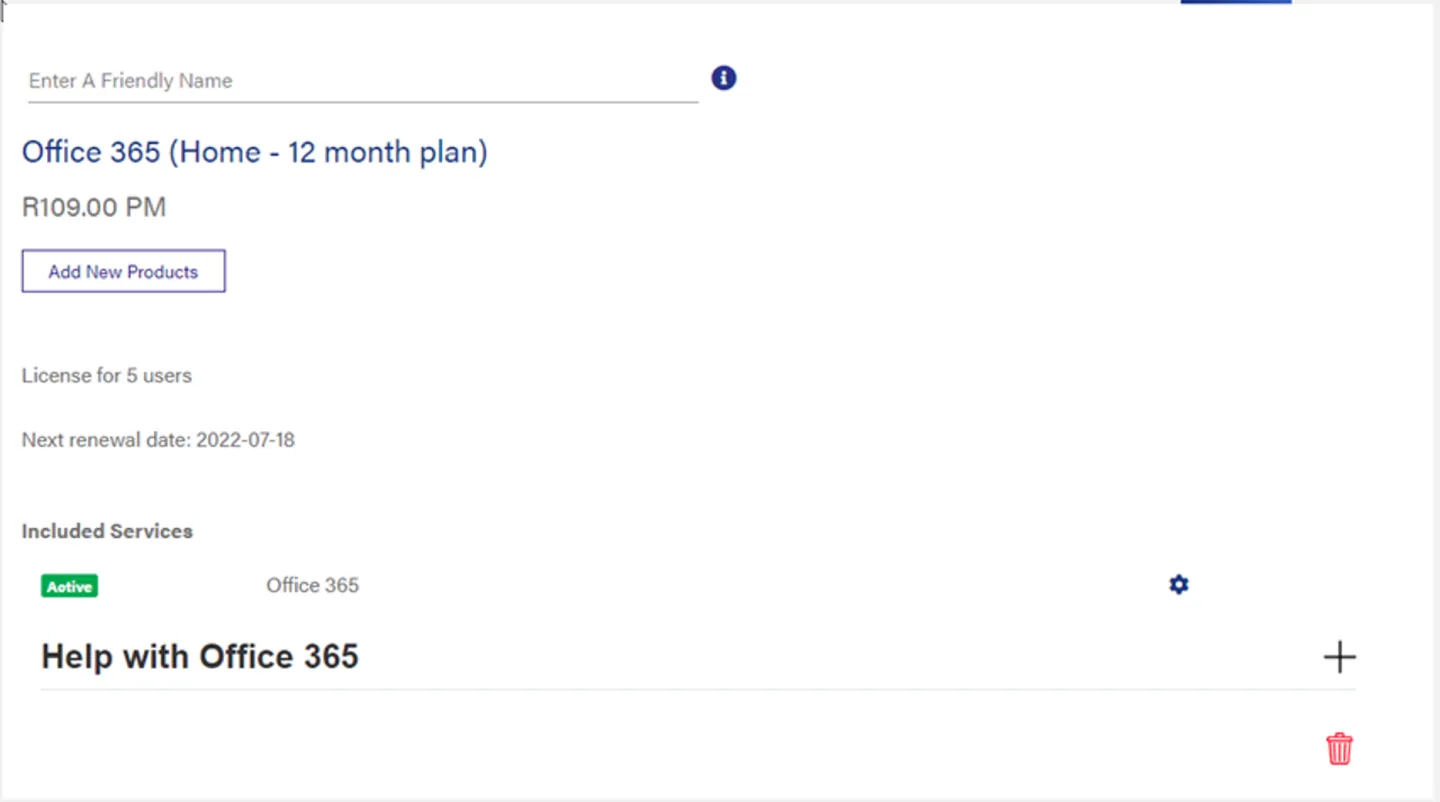
Locate the Correct Product
Locate the product you wish to retrieve your license key for (Microsoft 365 shown in the example).
-
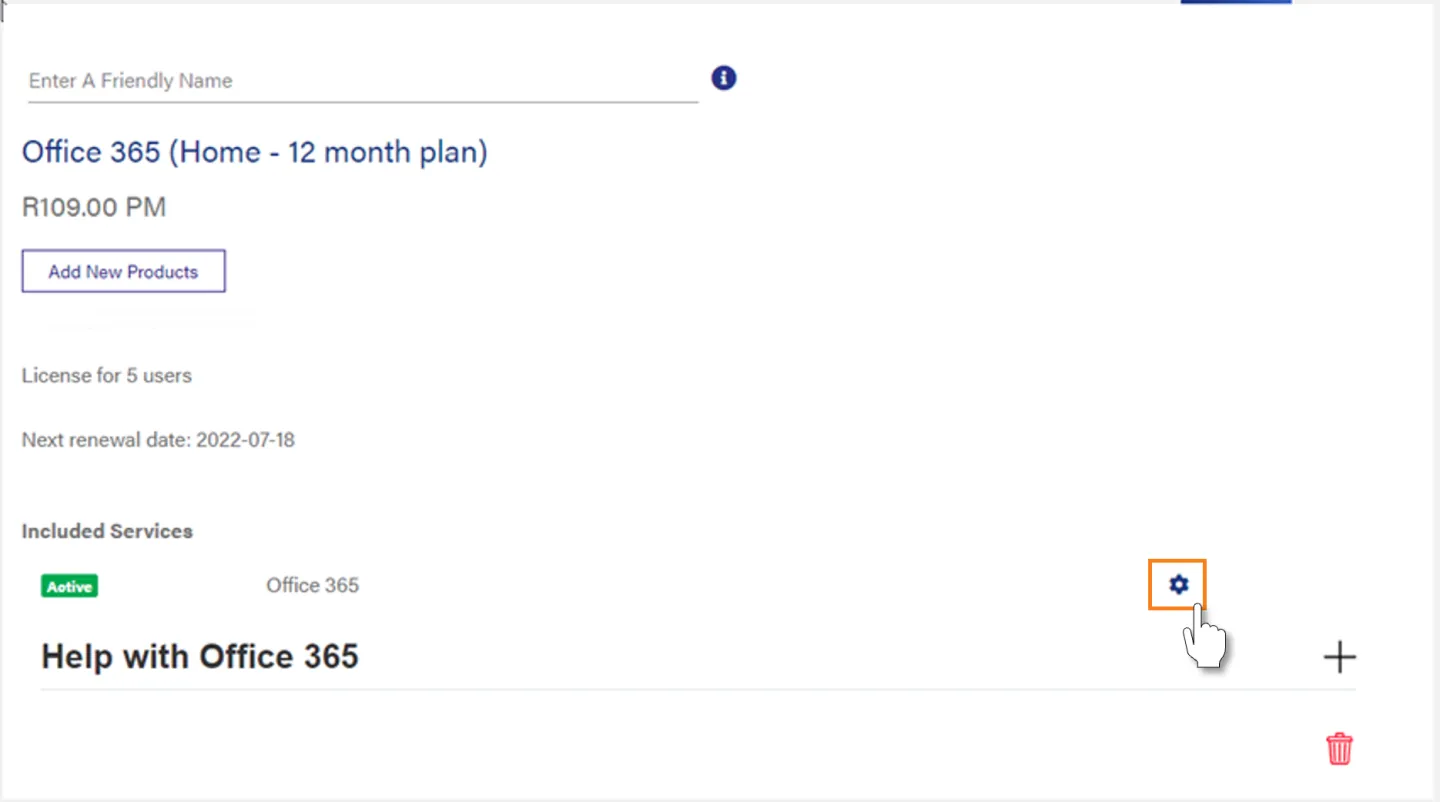
Open the Service Settings Screen
Click on the Cog to open the settings screen.
-
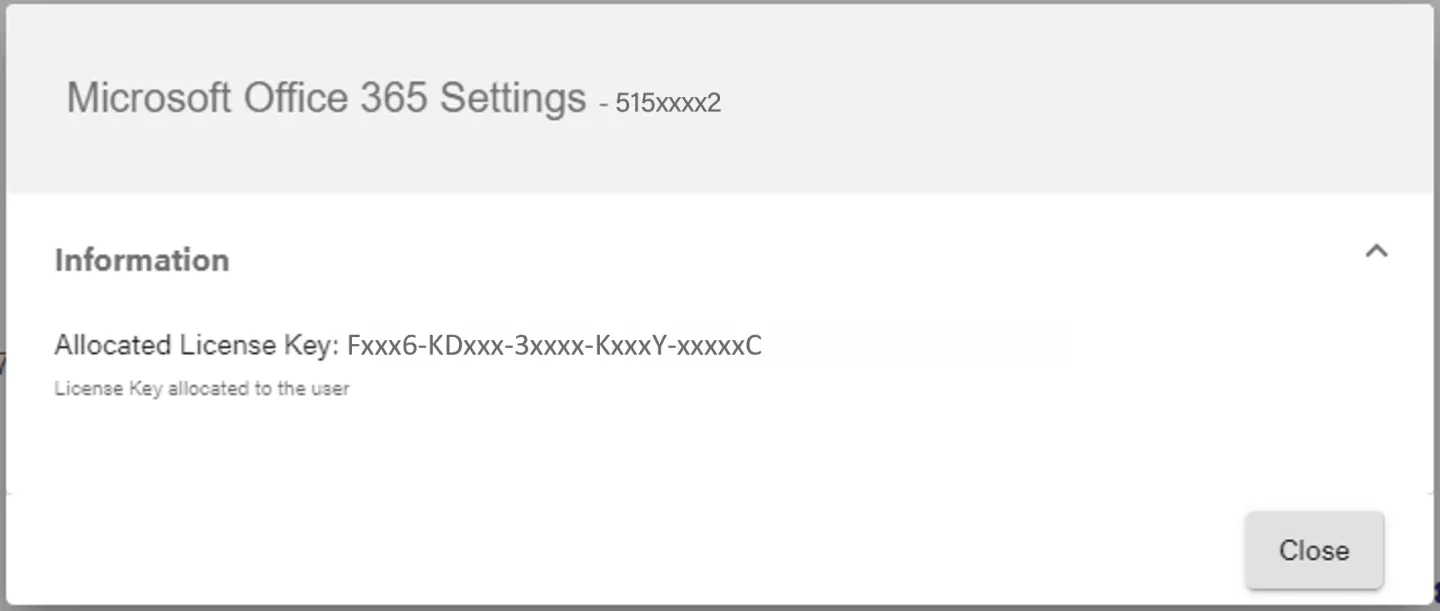
View your License Key
You can view your license key on the Settings Screen.
Click on Close when you are done.
Was this article helpful?