
How to Setup your Yealink W53P VoIP Handset
The portable VoIP W53P handset and base features excellent talk (18 hours) and standby (200 hours) times. The handset features a 3.5mm headset jack, for convenient hands-free use on the move.
-
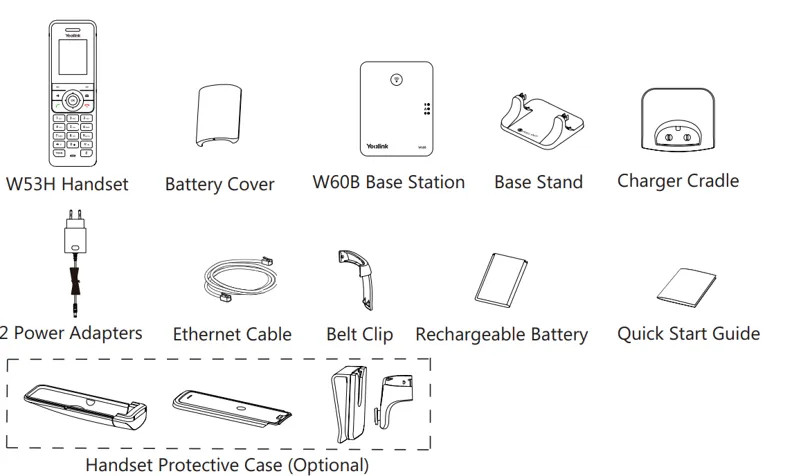
Included in the box
•W53H Handset
•Battery Cover
•W60B Base Station
•Base Stand
•Charger Cradle
•2 Power Adapters
•Ethernet Cable
•Belt Clip
•Rechargeable Battery
•Quick Start Guide
We recommend that you use the accessories and power adapters provided or approved by Yealink. The unapproved third-party accessories may result in reduced performance and even damage to the phone. The IP phone should be used with Yealink original power adapter (5V/600mA) only.
-
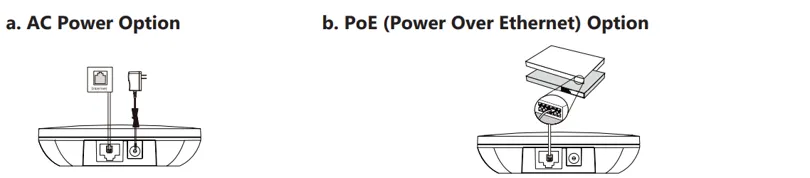
Base Station : Connect The Network and Power
If you are connecting a PC to your phone, we recommend that you use the Ethernet cable provided by Yealink.
For advanced users the device supports PoE (power over ethernet), if you have a PoE solution available you will not need to connect the power adapter.
-
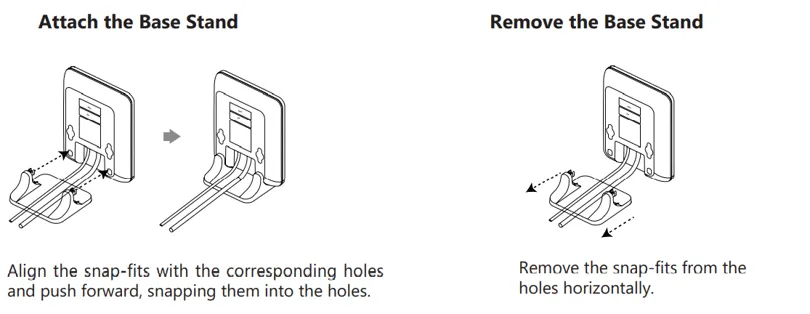
Base Station : Desktop Installation
Follow the steps in the illustration to attach the stand
-
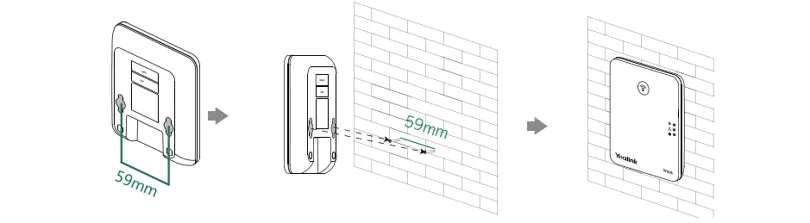
Base Station : Wall-Mount Installation
Use the mounting clips to attach the base station to the wall
-
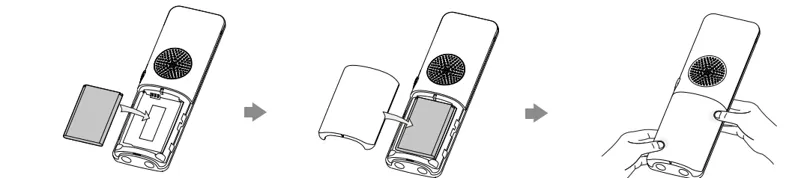
Handset : Battery Insertion
Insert the battery as illustrated
-
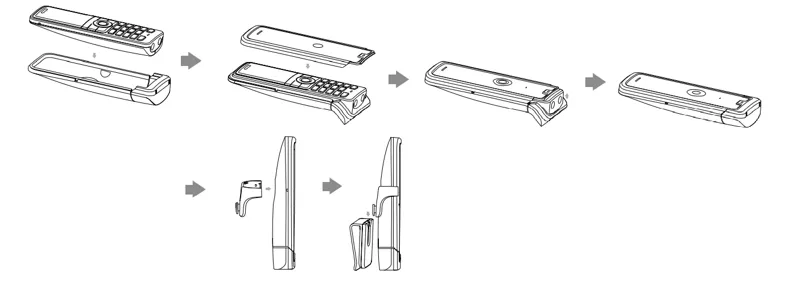
Handset: Protective Case
Put the handset in the protective case and attach the belt clip
-
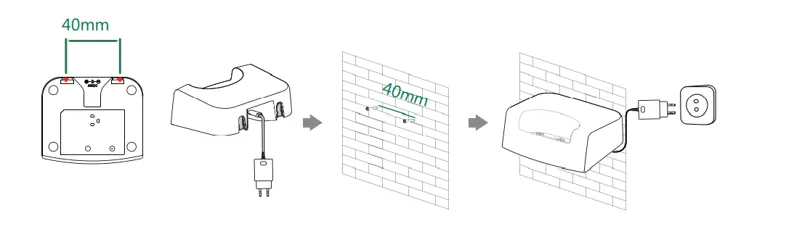
Handset Charge Cradle
Mount the charger cradle to the wall (Optional)
-
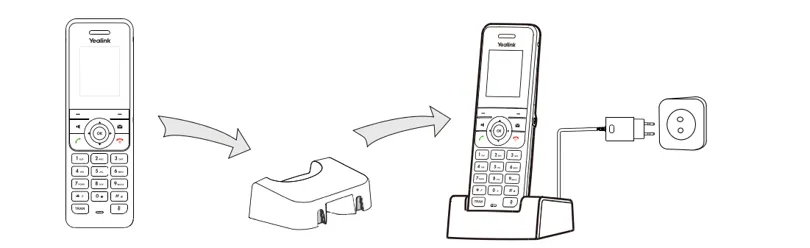
Handset Charging
Connect the charger cradle to the power and charge the handset.
-
Linking handsets to the base
You can register up to 8 handsets to one W60B base station. Each handset can be registered to 4 different base stations.
There are two methods to register a new handset:
Easy Registration:
- Press the Reg soft key on the handset to register quickly
Normal Registration:
- Press the OK soft key on the handset, and then select Register Handset.
- Select the desired base station and then press the OK soft key. The handset begins searching the base station.
- Press the OK soft key after searching a base station successfully.
- Enter the base station PIN (default: 0000), and then press the Done soft key to complete the registration.
- To register to multiple base stations, press OK to enter the main menu, and select Settings->Registration->Register Handset, then repeat steps 2-4.
- Press the Reg soft key on the handset to register quickly
Was this article helpful?