
How to complete RICA for your LTE or 5G service
To activate your LTE or 5G service, South African law requires you to complete the RICA (Regulation of Interception of Communications and Provision of Communication-Related Information Act) process. Follow these simple steps online to get it done quickly and easily.
What you will need to complete RICA:
1. Cellphone, laptop or PC (Performs best on a cellphone)
2. Valid ID document, ID card or Passport
3. Proof of address (not older than 3 months)
*Note that RICA must be completed by the applicants themselves
Upon the successful application for a sim card service with Mweb, you will receive a link via SMS or WhatsApp to complete the RICA process. Only after RICA has been completed will any hardware be delivered.
This link is only valid for 24 hours, so please complete the process soonest. If your link has expired, please contact Mweb for assistance.
-
Step 1: Accept the Terms and Conditions
Start by accepting the terms and conditions. Tick both consent boxes and select Accept to proceed.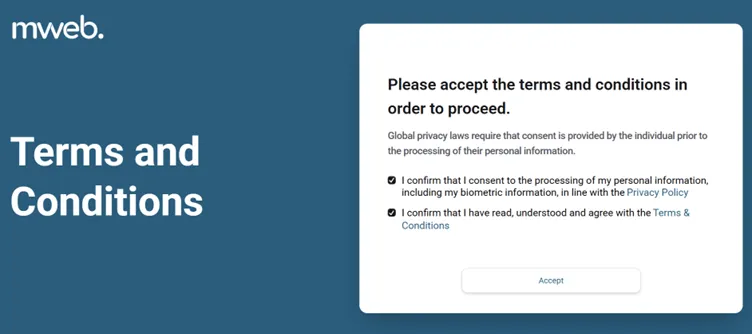
-
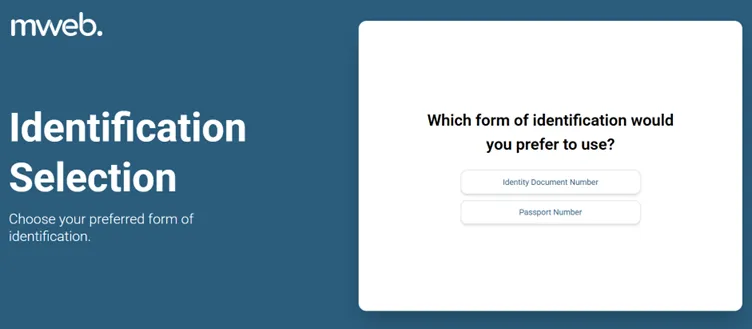
Step 2: Choose Your Identification Type
Select whether you'll use your South African ID or Passport.
-
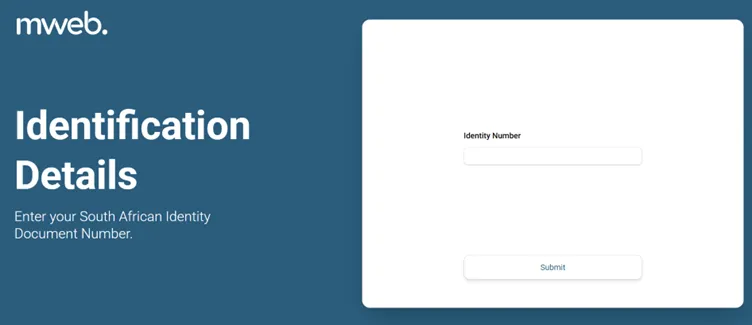
Step 3: Enter Your ID or Passport Number
Type your identification number and click Submit.
-
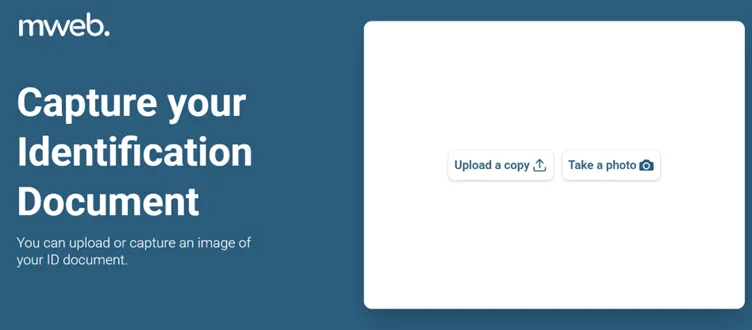
Step 4: Upload or Take a Photo of Your ID
Choose to upload a copy or take a photo using your device’s camera.
-
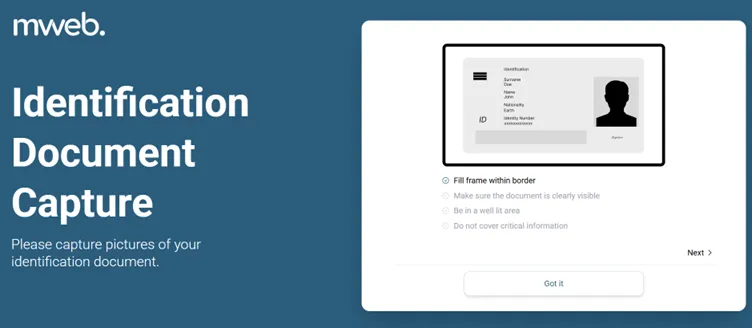
Step 5: Frame the ID Document Correctly
Make sure your ID is clear and fits within the on-screen borders.
-
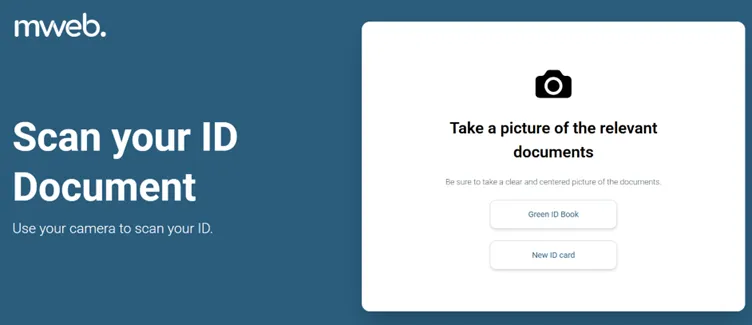
Step 6: Select the ID Type
Pick the type of ID you are submitting (Green ID Book or Smart ID Card).
-
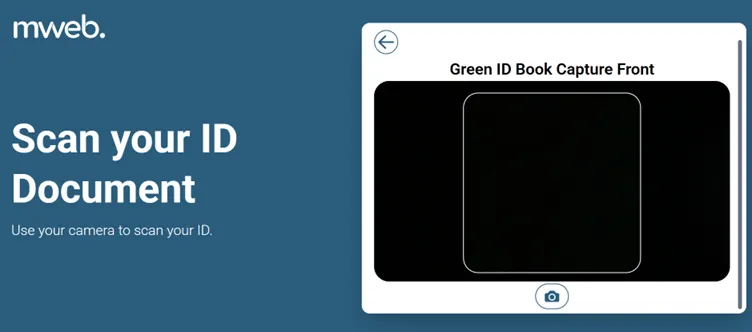
Step 7: Capture the ID Document
Align your ID in the frame and take a photo.
-
Step 8: Take a Selfie
Use your device’s camera to take a clear, well-lit profile photo.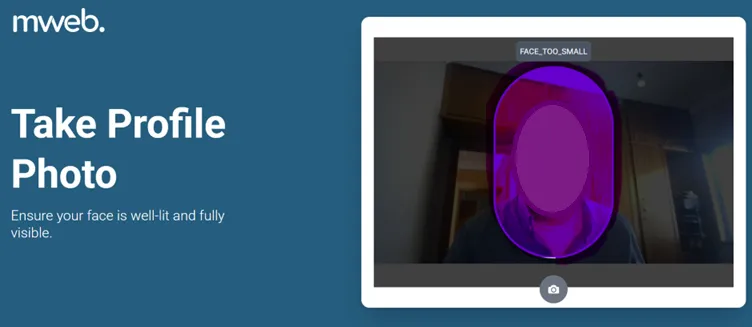
-
Step 9: Enter Your Address
Fill in your full residential address using the provided fields.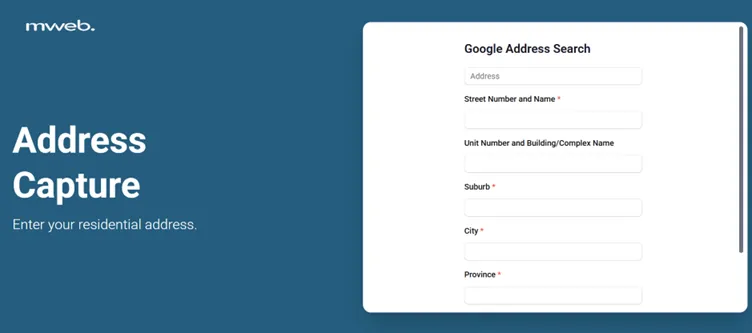
-
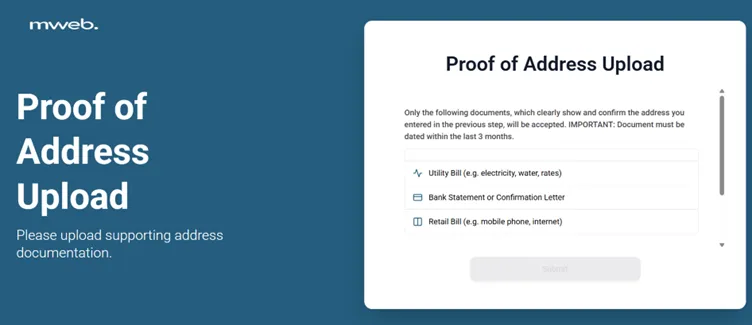
Step 10: Upload Proof of Address
Upload a document that confirms your address (e.g. utility bill, bank statement, or retail bill, dated within the last 3 months).
-
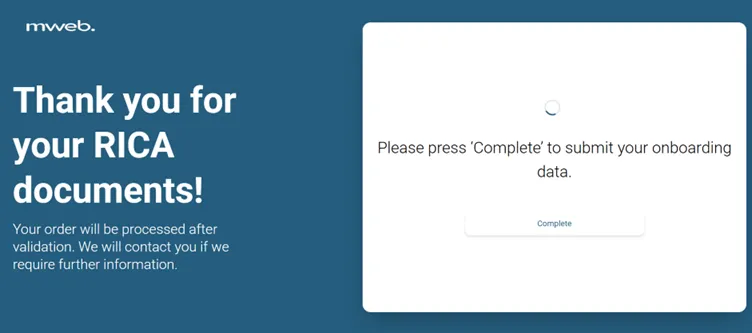
Step 11: Submit
Click Complete to submit your documents. Your order will be processed once your details have been validated.
Need help?
Chat to us on Live Chat or call us on 087 700 5000.
Was this article helpful?